marimo is an open-source reactive Python notebook. Cells re-run automatically when their dependencies change, notebooks are stored as ordinary Python files that diff cleanly in git, and the same file runs as a script or serves as a web app. SQL cells, WASM export and AI agent pairing are built in.
Every experienced Python user has met the same failure. A notebook works perfectly, you restart the kernel and run all, and it collapses — because it only ever worked thanks to a cell you edited, ran, and then changed, or one you deleted an hour ago whose variables are still sitting in memory.
The second failure is quieter and arguably worse. You open a pull request containing a notebook and see thousands of lines of JSON with base64-encoded image output. Nobody reviews that. Notebooks became the one part of a data codebase that escapes code review entirely.
marimo's argument is that both problems come from the same root: a notebook that stores its own output and lets you run cells in any order is not a program, it is a transcript. Its answer is to make the notebook a program — a real Python file, with an execution order derived from the code rather than from your clicking. This review covers what that buys, what it costs, and where Jupyter is still the right answer.
Reactive, Not Sequential
Change a cell and every dependent cell re-runs, worked out by static analysis of what each cell reads and writes — no more running cells in a private order you have to remember.
Notebooks are plain .py files, so they diff, review and merge in git like any other source code.
Delete a cell and its variables go with it, which is the direct fix for hidden state — the defect that makes a notebook run on your machine and nowhere else.
One file, three uses: edit it as a notebook, run it as a script, serve it as an interactive web app.
Open source and installed with pip, with SQL cells, WASM export to static HTML, and a hosted option in molab.
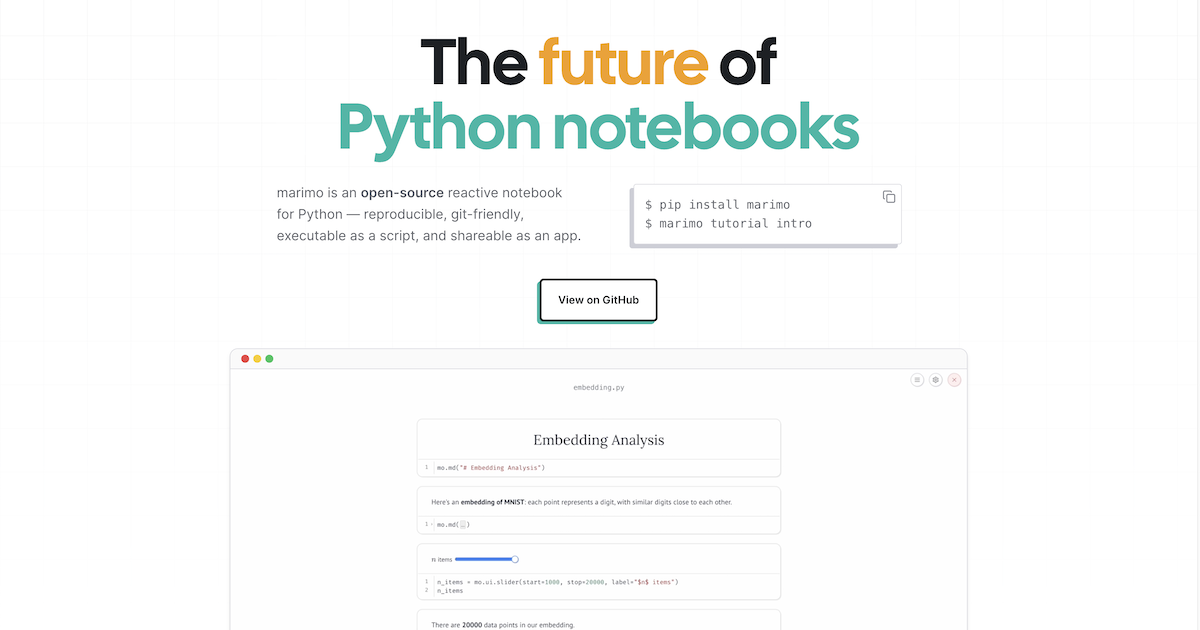
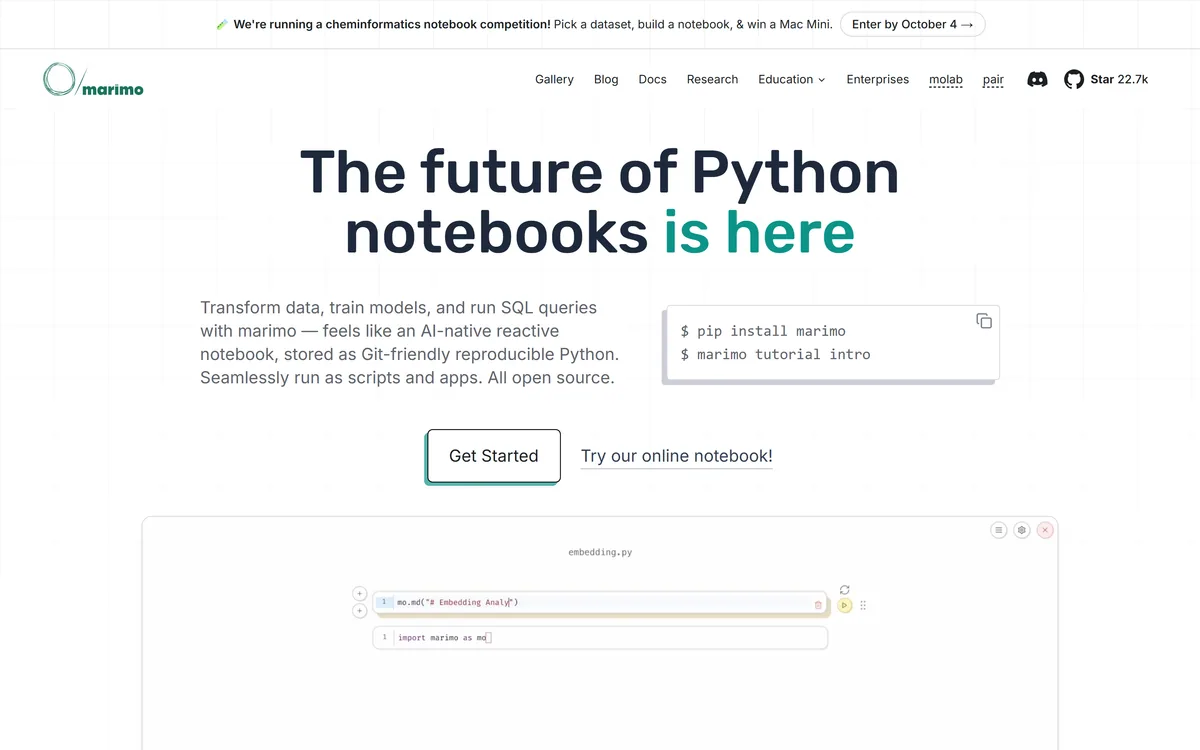
marimo's homepage, captured 9 September 2026. The GitHub star count sits in the navigation, which tells you who the product is talking to.
Notebook Concepts That Matter Here
Four terms that explain why marimo is structured the way it is.
Hidden state
Variables alive in the kernel that no longer correspond to any cell in the file — from a cell you edited or deleted. The reason a notebook runs for you and fails for everyone else.
Reactive execution
Running cells in an order derived from the code's dependency graph rather than from the order you clicked. Change a cell and everything downstream updates.
Dependency graph
The map of which cells read which variables, built by static analysis of the code. It is what makes the execution order deterministic.
WASM export
Compiling the notebook to run entirely in a browser via WebAssembly, producing a static HTML file with no server. Removes environment setup for anyone you share it with.
Stored As Python, Which Fixes Git
A marimo notebook is a .py file. Not Python embedded in JSON, not a format that converts to Python on export — an actual Python module you can open in any editor.
The consequences run further than tidiness. Diffs become readable, so a change to a notebook can be reviewed like any other code change. Merge conflicts become resolvable rather than a reason to pick one version and discard the other. Notebooks can be imported as modules, so a function you wrote in exploration can be used elsewhere without copying it out.
It also means your linter, your formatter, your type checker and your CI all work on notebooks without a conversion step, and an assistant such as GitHub Copilot reads them as ordinary source. That sounds mundane and it removes an entire category of tooling gap that data teams have lived with for a decade.
The design decision underneath is that output does not belong in the file. A Jupyter notebook stores its results, which is why the file grows, why diffs are unreadable, and why a repository accumulates megabytes of stale charts. marimo stores the program and regenerates the output — which is only safe because reactive execution guarantees the output matches the code.
A notebook that stores its own output is a transcript. A notebook stored as a program is code you can review.
The Constraint Nobody Mentions Up Front
Reactive execution imposes a rule that catches every newcomer: a variable can be defined in only one cell.
In Jupyter, redefining df cell after cell as you clean data is the normal working style. marimo forbids it, because if two cells both define df the dependency graph has no single answer for what df means.
The adjustment is real and takes a few days. In practice it pushes you toward naming intermediate results — raw, cleaned, filtered — or toward wrapping steps in functions. Both are better practice, and both feel like friction while you are learning them.
This is the honest cost of the model. The benefit is that when you hand the notebook to someone else it runs, and that is not a small thing to trade a naming habit for.
SQL Cells Are More Than A Convenience
marimo has a built-in SQL engine, and it treats SQL as a first-class cell type rather than as a string passed to a library.
Queries can run against dataframes as well as databases and warehouses, with support spanning Polars, pandas, PyArrow, DuckDB, SQLite, Postgres and MySQL. Results come back as dataframes, and — the important part — SQL cells participate in the reactive graph exactly like Python cells.
That last detail is what makes it more than syntactic sugar. A SQL query that depends on a Python variable re-runs when that variable changes. A Python cell that consumes a query result re-runs when the query does. The two languages become one dependency graph rather than two worlds joined by copy and paste.
For anyone whose work genuinely alternates between the two — which is most analytics work — this removes a persistent friction. The alternative in a conventional notebook is f-string interpolation into query text, which is both unpleasant to read and an easy way to write something you did not mean.
Query dataframes directly with SQL, without loading them into a database first.
Mix SQL and Python cells in one reactive graph, with dependencies tracked across both.
Interactive elements — sliders, dropdowns, table selections — can feed query parameters.
Results return as dataframes in your library of choice rather than as an opaque cursor.
Supported engines include DuckDB, SQLite, Postgres and MySQL alongside in-memory dataframes.
Notebook, Script, App: One File
Because a marimo notebook is a Python module with a dependency graph, the same file supports three modes without conversion.
As a notebook it is an interactive editing environment. As a script it runs from the command line, in a scheduler or in CI, executing cells in dependency order. As an app, served with a single command, the code hides and the interactive elements remain — sliders, dropdowns, tables and plots become a small web application.
The third mode deserves attention because it collapses a workflow that normally spans two tools. The usual path from exploration to a shareable dashboard involves rewriting the analysis in a separate framework, which is enough work that it frequently does not happen and stakeholders receive a screenshot instead.
WASM export goes further still, producing a static HTML file that runs Python in the browser with no server at all. For teaching material, documentation and reproducible examples, a notebook someone can run by opening a link removes the environment setup that is usually the barrier.
Package handling closes the loop. marimo can serialise a notebook's requirements into the file itself and install them into an isolated sandbox on run, so a shared notebook carries its own dependencies rather than a hopeful README.
Getting A Real Feel For It In Ten Minutes
marimo is free and installs with pip, so evaluation costs nothing but time. The sequence below surfaces both the benefit and the constraint quickly, which is what you want before adopting anything.
The bar is step four. If the reactive re-run behaviour does not feel like a relief within the first few edits, the model is not going to suit how you work.
Install with pip install marimo and run marimo tutorial intro — the built-in tutorial is short and demonstrates reactivity better than any description.
Open one of your own existing analyses and rebuild the first twenty lines of it. Rebuilding beats converting for forming a judgement.
Deliberately hit the constraint: try to redefine one variable in two cells and read the error. Better to meet it now than in an hour.
Change an early cell and watch what re-runs downstream. This is the whole product, and either it feels like relief or it does not.
Add a slider bound to a parameter and watch the analysis update, then serve the same file with marimo run to see it as an app.
Commit the file and look at the diff in git. That view is the argument that usually convinces teams rather than individuals.
Where Jupyter Still Wins
An honest assessment has to account for why most people will keep using Jupyter, and the reasons are good ones.
Ecosystem is the largest, and hosted environments such as Deepnote have built collaboration on top of it. Fifteen years of extensions, integrations, teaching material and institutional muscle memory sit behind Jupyter. Every cloud provider supports its format natively, every data platform imports it, and every colleague already knows it.
Sequential execution also genuinely suits some work. A long-running training loop or an expensive query is something you want to run once and then build on, and reactivity means care is needed to avoid re-executing costly cells — marimo provides controls for this, but it is a thing you must now think about.
There is a collaboration consideration too. If your colleagues and your reviewers all work in Jupyter, a marimo notebook is an outlier in the repository, and the file-format advantage is partly a team benefit that only lands when the team adopts it.
The pragmatic position is that these are not mutually exclusive. Plenty of people explore in Jupyter and rebuild in marimo when something needs to become reliable, shareable or scheduled — then move the result into an editor such as Cursor when it graduates into a real codebase. The .py format makes that transition cheap in a way the reverse never was.
Jupyter has the larger ecosystem, and every platform supports its format natively.
Sequential execution suits expensive, run-once operations without extra thought.
Your colleagues already know Jupyter, and format advantages are partly team-level.
marimo's benefit compounds with team adoption — one person's notebooks still diff well, but code review changes only when everyone's do.
What marimo Costs
The notebook itself is open source and free. You install it with pip, run it locally, and no account is required at any point.
Alongside it sits molab, a hosted service for creating and sharing notebooks in the browser, comparable in shape to other cloud notebook offerings. The site also has a page addressed to enterprises, which is the usual signal that support and deployment arrangements are available commercially.
This is a healthy structure for a developer tool. The thing you depend on runs on your own machine and does not stop working if commercial priorities change, while the hosted convenience is optional.
The practical implication is that there is no reason not to try it. There is no trial to start, no card to enter and no account to create — the cost of evaluation is the ten minutes described above. We do not publish amounts for the hosted or commercial options; check the site for current terms.
marimo: The Technical Facts
Product type
Open-source reactive Python notebook
File format
Plain .py — git-friendly, importable as a module, runnable as a script
Execution model
Reactive, with the dependency graph derived by static analysis
State handling
Deleting a cell removes its variables and updates affected cells
SQL support
Built-in SQL cells over Polars, pandas, PyArrow, DuckDB, SQLite, Postgres and MySQL
Interactive elements
Sliders, dropdowns, dataframe tables and selectable plots, bound to Python values
Deployment
marimo run serves a notebook as an interactive web app; WASM export produces static HTML
Package handling
Requirements serialised into the notebook and auto-installed into isolated sandboxes
Developer tooling
CLI, VS Code extension, vim keybindings, formatting, debugging panels, Copilot-style completion
AI integration
marimo pair, for connecting AI coding agents to a notebook session
Building and deploying small applications from the browser
Reading The Docs And The Project Pages
Last checked . Read from marimo.io and docs.marimo.io, with the homepage screenshot above captured in the same session.
Product confirmed as an open-source reactive Python notebook, installed with pip install marimo
Reactive execution confirmed in the documentation: running a cell re-runs dependent cells, with the graph derived by static analysis of the code
State handling confirmed: deleting a cell deletes its variables and updates affected cells
Storage format confirmed as pure Python .py files, described as git-friendly, executable as scripts and reusable as modules
Built-in SQL engine confirmed across dataframes, databases, warehouses and lakehouses, with Polars, pandas, PyArrow, DuckDB, SQLite, Postgres and MySQL named
Interactive elements confirmed as sliders, dropdowns, dataframe tables and selectable plots
Deployment confirmed via marimo run for an interactive app, and WASM export for static HTML that runs in the browser
Package handling confirmed as serialising requirements into the notebook with auto-install into isolated sandboxes
Developer tooling confirmed including a CLI, VS Code extension, vim keybindings, formatting, debugging panels and Copilot-style completion
marimo pair confirmed for connecting AI coding agents to a notebook session
molab confirmed as a free online notebook service, and an enterprises page exists in the site navigation
GitHub star count read from the site navigation as 22.7k, with named users listed including Stanford, UC Berkeley, Mozilla AI, OpenAI, BlackRock and Pfizer
Footer read directly and confirmed to link About, Privacy, Terms, Blog and Careers, with the operating entity given as Marimo Inc.
What we could not confirm: the specific open-source licence is not identified on the homepage or the documentation pages we read, so check the repository directly if the licence terms matter to you; supported Python versions are not stated on those pages either; and no pricing or tier structure is published for molab or for the enterprise offering, so the commercial terms are unknown from outside.
Other Developer And Data Tools
Adjacent rather than competing — most of these sit alongside a notebook rather than replacing one.
Deepnote — the managed collaborative notebook, if team editing matters more than reproducibility
Cursor — AI-first editing for the code that graduates out of a notebook
GitHub Copilot — completion inside whatever editor or notebook you already use
Replit AI — browser-based development and deployment for small applications
Base44 — turning an idea into an app without writing the interface, a different route to the same destination
Editor's Verdict
4.6/5
marimo earns a very high score because it fixes two structural defects that have cost data teams years of quiet pain: hidden state, where a notebook only runs because of cells you have since deleted, and the JSON storage format that makes notebooks impossible to review in git. Reactive execution and plain .py files are not features bolted on — they are the architecture, and everything else follows from them. Open source, running the same file as notebook, script and app, with SQL cells and WASM export, makes it a genuinely serious tool. It loses ground only because reactivity forbids redefining a variable across cells, which is a real adjustment, and because the ecosystem around Jupyter remains far larger. AInexfinder Editor Score: 4.6/5.
marimo pricing
AInexfinder does not list plan prices or billing details. For current pricing, plans, and trials, visit the official marimo website.
Vendor pricing, credits, and billing policies change over time. Always confirm on the official site before you buy.
Frequently asked questions
What is marimo?
An open-source reactive Python notebook. Cells re-run automatically when the cells they depend on change, the dependency order is derived from the code by static analysis rather than from the order you clicked, and notebooks are stored as ordinary .py files that work with git, linters and CI.
Is marimo free?
The notebook is open source and free — install it with pip install marimo, run it locally, no account required. A hosted service called molab offers online notebooks, and the site has a page addressed to enterprises. We do not publish amounts for the hosted or commercial options; check the site for current terms.
How is marimo different from Jupyter?
Two structural differences. Execution is reactive rather than sequential, so changing a cell updates everything downstream and deleting a cell removes its variables — which eliminates hidden state. And notebooks are stored as plain Python rather than JSON, so they diff cleanly in git, can be imported as modules and run as scripts.
Can marimo run my existing Jupyter notebooks?
Expect to adapt rather than convert. The reactive model forbids defining the same variable in more than one cell, which is a common Jupyter habit — reusing df across a cleaning pipeline, for instance. In practice you rename intermediate results or wrap steps in functions. Both are better practice; both take a few days to become natural.
Can I turn a marimo notebook into an app?
Yes, with marimo run, which serves the same file as an interactive web app: the code hides and the sliders, dropdowns, tables and plots remain. There is also WASM export, producing a static HTML file that runs Python in the browser with no server — useful for teaching material and reproducible examples.
Does marimo support SQL?
Yes, as a first-class cell type with a built-in engine, covering Polars, pandas, PyArrow, DuckDB, SQLite, Postgres and MySQL. Crucially, SQL cells sit in the same reactive graph as Python cells, so a query re-runs when a Python variable it depends on changes, and vice versa.
Is marimo suitable for expensive, long-running computations?
It needs more thought than a sequential notebook does. Reactive execution means an upstream edit can trigger a costly cell to re-run, so training loops and large queries require care — marimo provides controls for this, but it becomes something you manage rather than something you get for free. For run-once heavy work, Jupyter's sequential model is simpler.
Daniel reviews AI tools the slow way — by actually using them on real projects. His reviews cover what works, what breaks, and who each tool is genuinely a good fit for.
Daniel and the AInexfinder editorial team research marimo using public product information, listing evidence, and (when available) hands-on checks. Scores reflect listing completeness and transparency — not paid placement.
Listings may include affiliate or sponsored placements, which are labeled when present. Editorial scores and cons are not sold. See our affiliate disclosure and review methodology.
GitHub Copilot is an AI coding assistant that spans completion, chat, agent mode, automated code review, and a cloud agent that opens pull requests, working across VS Code, Visual Studio, JetBrains, Xcode, Neovim, Eclipse, the CLI, and github.com.
Replit AI turns a written description into a working application — the Agent writes the code, and Replit supplies the database, authentication, hosting, and monitoring, so a prototype goes live without a local setup or a deployment pipeline.
CodeScene measures code with CodeHealth, a validated metric predicting defects and delivery performance. It states the average enterprise codebase scores 5.15 out of 10 while AI needs 9.5 to work reliably, and offers an MCP server, automated reviews and IDE feedback. Operated by CodeScene AB.
Momentic is an agentic end-to-end testing platform where AI writes tests as plain-English YAML, runs them across web, iOS and Android, and self-heals them when the UI changes, with an autonomous bug-bashing agent, an MCP server and CI integration.
Tabnine is an enterprise AI coding assistant offering context-aware code completion, chat and agents with private deployment and a codebase-wide context engine. In July 2026 it was acquired by Tricentis, and tabnine.com now routes to the Tricentis agentic quality engineering platform.
Dosu captures knowledge automatically from coding agent sessions, keeps documentation updated when source code changes, and connects GitHub, Confluence, Notion and Slack into one source of context. It states 50% fewer tokens burned, 2x faster agent performance and 200k+ engineers using it.