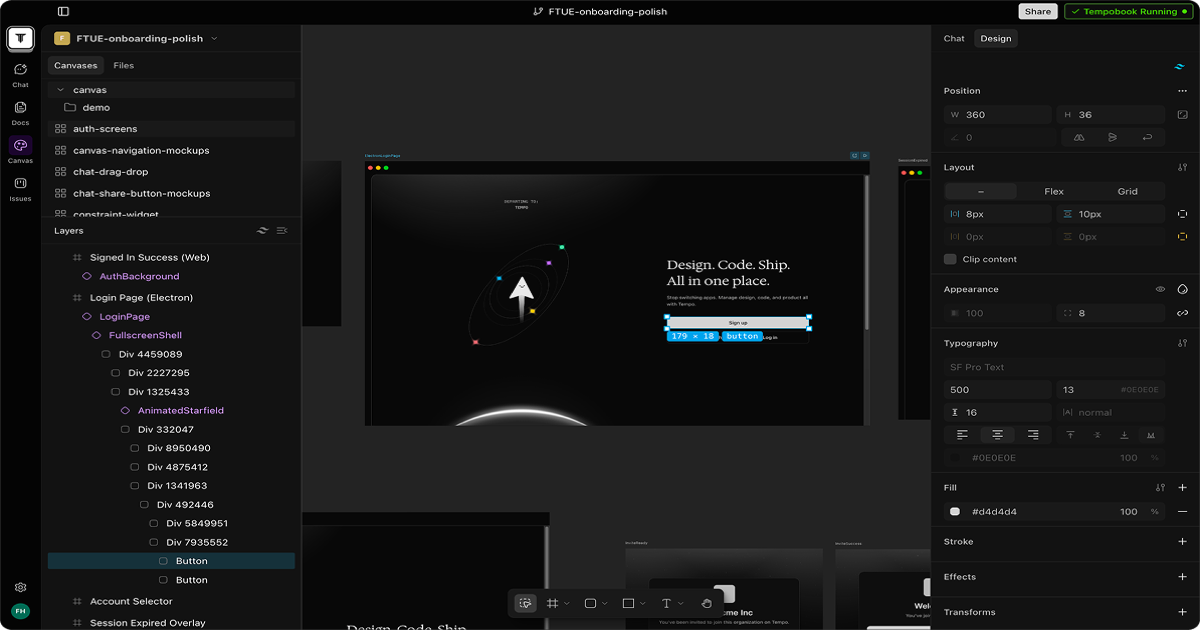
Tempo is a desktop IDE built for whole product teams rather than developers alone. Design canvases are code in your repository, specs and prototypes run on your real components, and four named agents handle triage, specs and designs, bug fixes and feature builds.
The most expensive gap in software development is not between an idea and a design. It is between a design and the code that eventually ships.
A designer produces a mockup in a tool that knows nothing about the codebase. An engineer rebuilds it approximately, using components that exist rather than the ones drawn. Somewhere in that translation the spacing changes, a state gets forgotten, and the thing that ships is a reasonable interpretation of what was approved.
Tempo's answer is to remove the translation. If the canvas is code in your repository, built from your real components, then there is nothing to reimplement — the design ships because it was never a mockup.
Tempo: One IDE For Four Roles
Designers, PMs, engineers and agents share one tool, working on the same real codebase rather than on parallel artefacts.
Canvases are code in your repo, built from your real components and tokens, and they ship as a pull request.
Four named agents: Triage, Spec and Design, Bug Fixer and Feature Builder, each owning a distinct stage.
Agents run on any model, in any harness, across as many worktrees as needed, with PR and CI status in one view.
A desktop application, downloadable for Windows, macOS and Linux.
Can Designers, PMs And Engineers Share One Tool?
Tempo describes itself as one IDE for the whole team, with distinct views for designers, product managers, engineers and agents, all working from the real codebase.
The technical argument is sound. Every role in product development is ultimately arguing about the same artefact, and the reason they use different tools is historical rather than necessary — a designer's tool cannot compile, so it drew pictures instead.
The organisational argument is harder, and it is where products like this usually fail. Adopting a shared IDE means a designer giving up a tool they know intimately, and a specialist tool that a specialist loves is extremely hard to displace with a general one that is merely adequate.
The realistic path is therefore partial rather than total. A team where designers keep their existing tool for exploration and use Tempo for production work — the point where a design becomes real — captures most of the benefit without asking anyone to abandon anything.
It is also worth noting who benefits most and least. Engineers gain a design that already compiles; designers give up expressive freedom in exchange for their work shipping accurately. Whether that trade is attractive depends on how often a designer currently watches their work get built wrong.
Most coding tools decline this problem entirely. Aider and Zencoder serve engineers well and have nothing to say about the designer who watched their work ship approximately.
A designer's tool draws pictures because it cannot compile. That is a historical accident, not a requirement — and it is where the expensive translation happens.
Canvases As Code Is The Real Idea
Tempo states that canvases are code in your repo, built from your real components and tokens, and that they ship as a pull request because they were never a mockup.
The consequence people underestimate is constraint. A canvas built from your actual component library cannot draw a button that does not exist, cannot invent a spacing value outside your tokens, and cannot specify a state your components do not support.
That sounds restrictive and is the entire point. Most design-implementation friction comes from designs that are subtly impossible — a variant nobody built, a layout the grid does not permit — and discovering that during implementation is the expensive moment.
It also changes what review means. A design arriving as a pull request goes through the same review as any other change, with the same CI, the same checks and the same history, rather than through a separate approval process nobody can audit later.
The limitation follows from the same property. A canvas constrained to your components is not where you explore something new, because the components for something new do not exist yet. Exploration needs a freer tool; production benefits from the constraint.
Four Named Agents And What They Own
Tempo names four agents: Triage watches feedback channels and turns ideas and bug reports into prioritised issues; Spec and Design turns triaged issues into PRDs and clickable designs; Bug Fixer reproduces a bug, finds the root cause and ships a tested pull request; Feature Builder builds a specced feature on its own branch.
Separating them by stage rather than offering one general assistant is the right design, and the reason is the same as in any workflow product: each stage has a different input, a different output and a different definition of done.
Triage is the least glamorous and probably the most valuable. Feedback arrives as Slack messages and support threads and never becomes an issue, which is why teams simultaneously have a backlog and no idea what users actually want. Converting that stream automatically is a real gain.
Bug Fixer is the most testable claim in the product. Reproducing a bug, finding the root cause and shipping a tested fix is a complete engineering task with a checkable outcome, and it is the one to evaluate first because you will know immediately whether it worked.
Feature Builder is where the caution belongs. An agent building a whole feature on its own branch produces a pull request somebody must review properly, and reviewing generated code is slower and less reliable than reviewing code a colleague wrote — because you cannot ask it what it was thinking.
Whatever the agents produce still has to clear the same gates as anything else, which is where a quality platform such as Codacy belongs — reviewing generated code is exactly what automated checks are for.
Evaluate Bug Fixer first, since a fixed bug is a checkable outcome.
Let designers keep their exploration tool and use Tempo for production work.
Treat agent-generated pull requests as needing more review, not less.
Use Triage on a real feedback channel to see what it surfaces that you missed.
Check that canvases genuinely build from your components before committing a team.
Adopting A Shared IDE Without A Revolt
Products that ask several roles to change tools at once fail for organisational reasons rather than technical ones.
The sequence below starts where the benefit is unambiguous and the disruption is smallest.
Start with engineers only, using the agents on an existing repository, and change nothing about how designers work.
Run Bug Fixer on three real bugs you have already fixed, and compare its root cause analysis against what you found.
Point Triage at one feedback channel for a fortnight and review what it surfaced against what your team caught.
Only then bring one designer in, on one production feature rather than on exploration.
Confirm a canvas actually builds from your real components and tokens, since that claim is the whole proposition.
Expand by role rather than by team, and stop if the designers are working around it rather than with it.
Where A Shared Codebase Helps Most
The teams this suits are identifiable, and it is a narrower group than the positioning suggests.
The strongest case is a small product team where the same people already wear several hats. When a designer occasionally writes CSS and an engineer occasionally makes design decisions, a shared tool matches how the work already happens rather than imposing a structure.
The second is a team with a mature design system. Canvases built from real components only work if your components are real, documented and consistently used — a team whose design system is aspirational will find the constraint infuriating rather than helpful.
The weakest case is a large organisation with established, separately owned toolchains. Displacing three toolchains simultaneously is a change management project, and the benefit has to be enormous to justify one.
Model and harness flexibility — agents running on any model, in any harness, across multiple worktrees — points at teams already running agents seriously rather than experimenting. That is a specific and growing group, and it is probably who this is really for.
The far end of the same lifecycle belongs elsewhere again: once the feature ships, showing it to buyers is a demo platform's job, which is what Navattic exists to do.
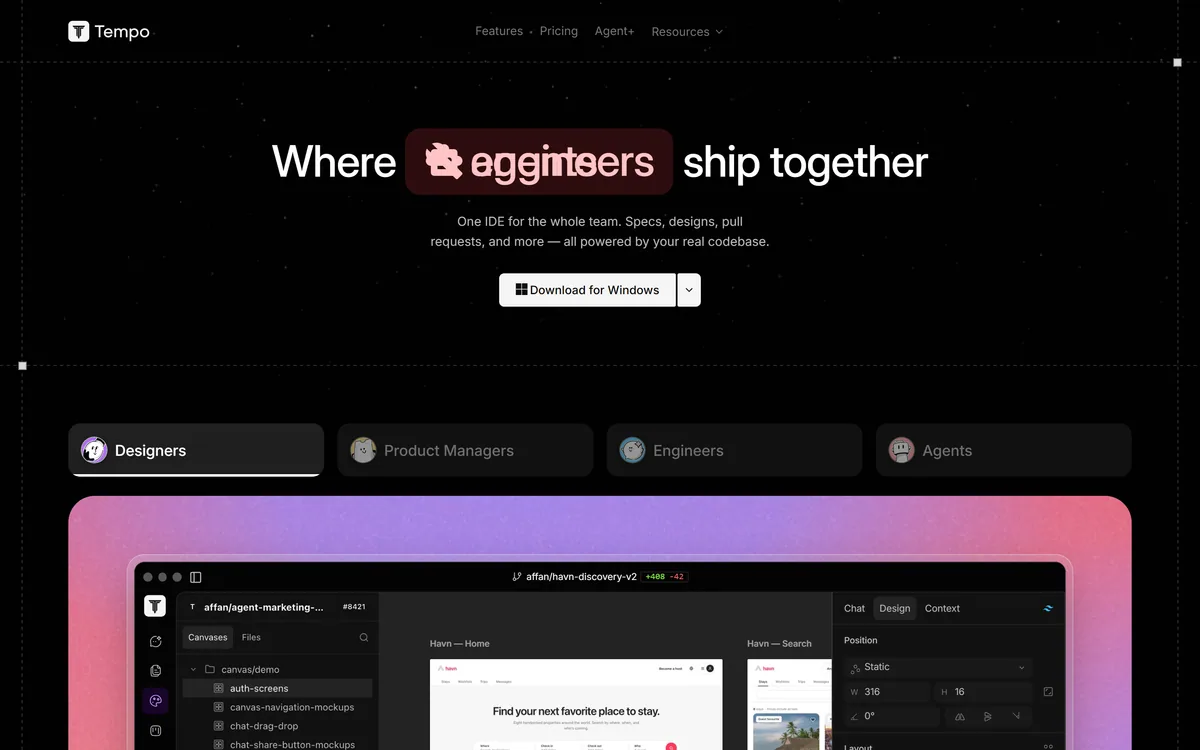
Tempo's homepage, captured 9 September 2026, showing the shared-IDE positioning across four roles.
Tempo: Platforms And Agents
Product type
Desktop IDE for whole product teams
Positioning
One IDE for the whole team, powered by your real codebase
Roles served
Designers, product managers, engineers, agents
Design
Canvases are code in your repo, built from real components and tokens, shipping as pull requests
Product management
Specs and clickable prototypes on real code, with agents triaging raw feedback into issues
Engineering
Agents on any model in any harness, across multiple worktrees, with PR and CI status in one view
Triage Agent
Watches feedback channels and turns ideas and bug reports into prioritised issues
Spec and Design Agent
Turns triaged issues into PRDs and clickable designs from real components
Bug Fixer Agent
Reproduces a bug, finds the root cause and ships the fix as a tested pull request
Feature Builder Agent
Picks up a specced issue and builds the feature on its own branch
Platforms
Downloadable for Windows, macOS, macOS Intel and Linux
You are a small product team where the same people already wear several hats.
Your design system is real, documented and consistently used.
Designs regularly ship as approximate versions of what was approved.
You already run coding agents seriously rather than experimentally.
Feedback arrives in Slack and never becomes an issue anybody sees.
Stay with your tools when
You are a large organisation with three established, separately owned toolchains.
Your design system is aspirational, which makes canvas constraints infuriating.
Your designers do exploratory work that constrained components cannot express.
Nobody will review agent-generated pull requests properly.
The team has no appetite for a change management project.
Verifying What Tempo Ships
Last checked . Read from tempo.new in a browser session, with the screenshot above captured alongside.
Positioned on the site as one IDE for the whole team, powered by your real codebase
Roles addressed confirmed as designers, product managers, engineers and agents
Canvases stated as code in your repo, built from real components and tokens, shipping as pull requests
Specs and clickable prototypes on real code confirmed for product managers
Agents confirmed as running on any model, in any harness, across multiple worktrees, with PR and CI status in one view
Triage Agent confirmed as watching feedback channels and turning ideas and bug reports into prioritised issues
Spec and Design Agent confirmed as turning triaged issues into PRDs and clickable designs from real components
Bug Fixer Agent confirmed as reproducing a bug, tracking the root cause and shipping the fix as a tested pull request
Feature Builder Agent confirmed as building a specced feature on its own branch and opening a PR
Desktop downloads confirmed for Windows, macOS, macOS Intel and Linux
Site navigation confirmed for Features, Pricing, Agent+, Resources, Software factory and User Guide, with X, LinkedIn and Discord links
What we could not confirm: the operating company's legal name or location, neither of which appears on the pages we read; pricing and what Agent+ includes; which version control platforms and CI systems are supported by name; which design system formats or component libraries canvases can build from; whether the product works with an existing Figma or similar workflow; how code and repository data are handled; and any customer references. We did not use the product, so nothing here reflects tested behaviour.
Editor's Verdict
4.0/5
Tempo's central idea is genuinely strong: a design canvas that is code in your repository, built from your real components and tokens, so a design ships as a pull request rather than as a mockup someone then rebuilds. That closes the most persistent and expensive gap in product development, where a design is approved and then re-implemented approximately. The four named agents are correctly scoped to distinct jobs rather than being one assistant with four labels. It scores where it does because asking three roles to adopt one tool is an organisational change, and organisational changes fail far more often than software does. AInexfinder Editor Score: 4.0/5.
Tempo pricing
AInexfinder does not list plan prices or billing details. For current pricing, plans, and trials, visit the official Tempo website.
Vendor pricing, credits, and billing policies change over time. Always confirm on the official site before you buy.
Frequently asked questions
What is Tempo?
Tempo is a desktop IDE built for whole product teams rather than developers alone. Design canvases are code in your repository, built from real components and tokens; specs and prototypes run on real code; and four named agents handle triage, specs and designs, bug fixes and feature builds.
What does canvases are code actually mean?
That a design surface produces source files in your repository rather than an image or a prototype link. It ships as a pull request through the same review, CI and history as any other change — because it was never a mockup that somebody then had to reimplement approximately.
Why is constraining designs to real components a good thing?
Because most design-implementation friction comes from designs that are subtly impossible — a variant nobody built, a spacing value outside the tokens, a state the component does not support. Discovering that during implementation is the expensive moment; a canvas that cannot draw it prevents the problem entirely.
What are the four agents?
Triage watches feedback channels and turns ideas and bug reports into prioritised issues. Spec and Design turns triaged issues into PRDs and clickable designs. Bug Fixer reproduces a bug, finds the root cause and ships a tested pull request. Feature Builder builds a specced feature on its own branch.
Which agent should I evaluate first?
Bug Fixer, because a fixed bug is a checkable outcome. Run it on three bugs you have already fixed and compare its root cause analysis against what you found. That gives you a verifiable answer in an afternoon, where a feature build gives you a pull request somebody has to review carefully first.
Will designers actually adopt it?
That is the risk, and it is organisational rather than technical. A specialist tool a designer loves is very hard to displace with a general one that is merely adequate. The realistic path is designers keeping their exploration tool and using Tempo for production work, where a design becomes real.
Do I need a design system for this to work?
Effectively yes. Canvases built from real components only work if your components are real, documented and consistently used. A team whose design system is aspirational will find the constraint infuriating rather than helpful, because the canvas will refuse to express what they meant.
What does model and harness flexibility mean?
Agents can run on any model, in any harness — the runner that calls the model and executes tools — rather than being locked to one vendor's agent runtime. Combined with running across multiple worktrees, that points at teams already running agents seriously rather than experimenting with one.
Should agent-written pull requests be reviewed differently?
More carefully, not less. Reviewing generated code is slower and less reliable than reviewing a colleague's, because you cannot ask it what it was thinking or why it chose that approach. A feature built autonomously on its own branch is a pull request somebody must genuinely read.
Which platforms does Tempo run on?
It is a downloadable desktop application, with builds for Windows, macOS, macOS on Intel and Linux. That is a deliberate choice for a tool operating on a real repository and running agents across worktrees — both of which are considerably easier from a native application than from a browser.
Daniel reviews AI tools the slow way — by actually using them on real projects. His reviews cover what works, what breaks, and who each tool is genuinely a good fit for.
Daniel and the AInexfinder editorial team research Tempo using public product information, listing evidence, and (when available) hands-on checks. Scores reflect listing completeness and transparency — not paid placement.
Listings may include affiliate or sponsored placements, which are labeled when present. Editorial scores and cons are not sold. See our affiliate disclosure and review methodology.
GitHub Copilot is an AI coding assistant that spans completion, chat, agent mode, automated code review, and a cloud agent that opens pull requests, working across VS Code, Visual Studio, JetBrains, Xcode, Neovim, Eclipse, the CLI, and github.com.
Replit AI turns a written description into a working application — the Agent writes the code, and Replit supplies the database, authentication, hosting, and monitoring, so a prototype goes live without a local setup or a deployment pipeline.
Tabnine is an enterprise AI coding assistant offering context-aware code completion, chat and agents with private deployment and a codebase-wide context engine. In July 2026 it was acquired by Tricentis, and tabnine.com now routes to the Tricentis agentic quality engineering platform.
Zencoder is an AI orchestration platform for engineering work: agents plan with one model, build with another and review with a third, across multi-repo indexing and full dependency mapping, inside VS Code and JetBrains. It adds scheduled automation and a work layer spanning Jira, Slack and Notion.
Cline is an open-source AI coding agent that works in your editor as a VS Code extension, in the terminal as a CLI, as a desktop app and through an SDK, using any model including open-weight ones, with a plan-and-act workflow where you approve its actions.
Pieces runs in the background on your computer forming a searchable memory of your work, capturing what you see and what you copy by default and what you hear only if you opt in. It builds a chronological timeline across Gmail, Outlook, browsers and Slack, and generates standups, briefs and recaps from real context.