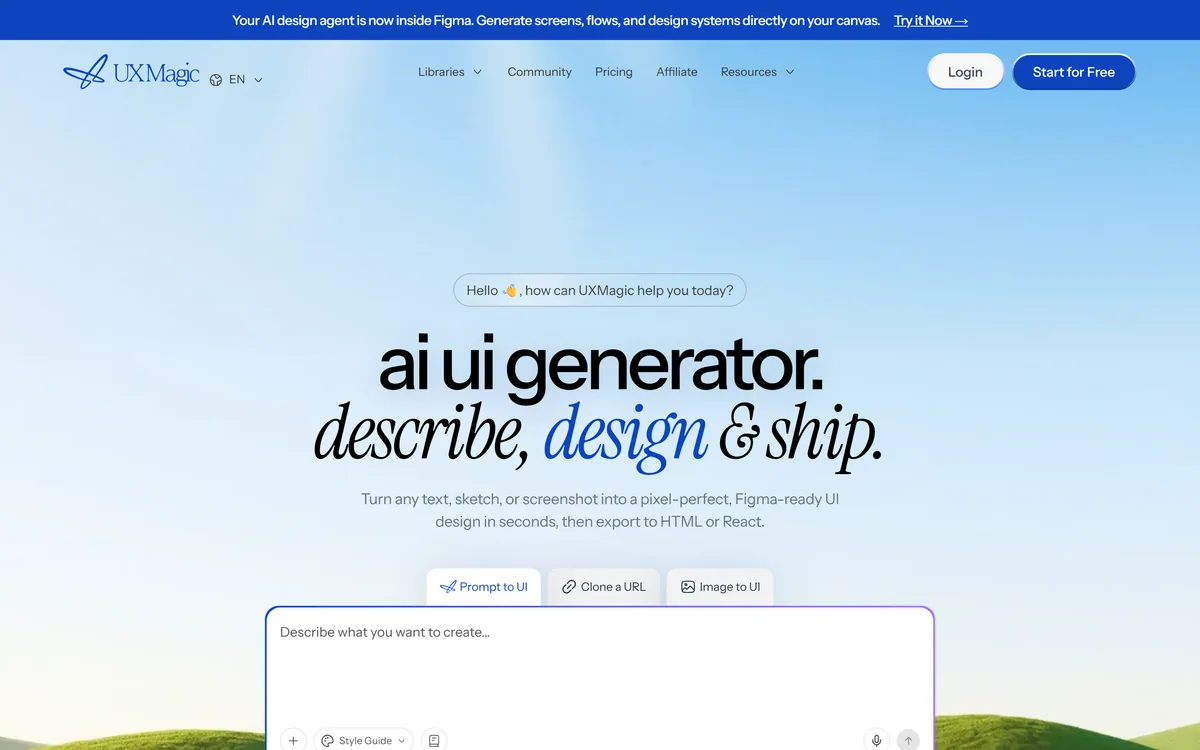
UXMagic turns text prompts, sketches or screenshots into Figma-ready UI designs, generating wireframes, sitemaps and multiple screens, importing your design system, and exporting to Figma, HTML, React or Webflow.
UXMagic generates user interfaces. Describe a screen, sketch it on paper, or show it a screenshot, and it produces a design — then exports that design to Figma, HTML, React or Webflow.
The detail that separates it from the crowd of prompt-to-UI tools is where the output lands. A generated design that only exists inside the generating tool is a dead end; one that opens in Figma is a starting point a designer can actually work from.
This review covers what the three input modes are each good for, why Figma export changes the tool's role, where design system import matters, and the limits of generated interface design.
UXMagic outputs into Figma rather than around it — the design stays editable by a designer.
UXMagic In One Screen
Input flexibility: text prompt, hand sketch, or a screenshot of something you want to work from.
Output is Figma-ready, which is the important part — the design lands where designers actually work rather than in a closed tool.
Code export to HTML, React and Webflow, so the design can become a build.
Whole-product scope: sitemaps, wireframes and multiple screens, not just one component.
Design system import means output can follow your existing components instead of inventing new ones.
Accepting sketches and screenshots alongside text prompts is more useful than it sounds, because the three suit genuinely different moments.
From A Text Prompt
Best when you know the function but have no visual idea yet — "a settings page with account, billing and notification sections". You are asking it to propose a structure.
This is also where output is most generic, because you have given it the least to work from.
From A Sketch
Best when the layout is already decided in your head. A rough hand sketch communicates hierarchy and placement far faster than a paragraph describing them.
This is the mode that most respects a designer's existing process rather than replacing it.
From A Screenshot
Best for working from a reference — a competitor's flow, an older version of your own product, or a pattern you want to adapt.
Worth an obvious caution: adapting a pattern is normal design practice, copying a distinctive interface is not, and the tool has no opinion about which you are doing.
Why Figma Output Is The Whole Argument
The prompt-to-UI category is crowded, and most of it produces a finished artefact you cannot meaningfully edit.
That is fine for a throwaway concept and useless for real product work, where the generated version is the first draft of something that will be revised twenty times by people with opinions.
Exporting to Figma — and offering a Figma plugin — places UXMagic before the design process rather than instead of it. The generated screens become editable layers a designer refines, which is the only realistic way generated UI survives contact with a product team.
A generated design you cannot edit is a picture of a design. The value is entirely in what happens after.
Design System Import Is The Team Feature
Generating a good-looking screen is easy. Generating a screen that looks like your product is the hard part, and it is where most AI design tools fail.
Design system import addresses this directly: output uses your existing components, spacing and type rather than inventing a plausible-looking system of its own.
For an established product this is the difference between a useful tool and a generator of work. Without it, every generated screen needs rebuilding against your components before it means anything.
Fitting It Into A Real Process
The tools that survive in design teams are the ones used at the right stage, and that stage is earlier than people assume.
Import your design system before generating anything, or the output will not match your product.
Start with a sitemap or wireframes rather than finished screens — structure decisions are cheaper to change than visual ones.
Use sketches as input when you already know the layout; prompts when you are still exploring.
Generate several variations of a screen to argue with, rather than one to accept.
Export to Figma and refine there. Treat the generated version as a starting layer, not a deliverable.
Only use the code export once the design is settled — regenerating code after every design change wastes the benefit.
What Generated UI Still Cannot Decide
Interface design is mostly judgement about people, and that judgement does not come from a prompt. What a user is trying to do, what they already believe, what will confuse them, and what they will not notice — none of it is in the description you typed.
Generated screens are also conventionally correct by construction, since the model learned from existing interfaces. That is a strength for usability and a limit for anything that needs to be distinctive.
Accessibility is a real gap. Contrast, focus order, target sizes and screen reader semantics need deliberate attention, and a visually plausible generated screen can fail all of them silently.
And exported code is a starting point, not production. It gives you structure and speed; it will not give you state management, performance, or the parts of a component library your codebase actually needs.
Does UXMagic Fit Your Team?
Useful When
You have a design system the output can be held to
You want early screens to argue with rather than a finished design
Sketches and screenshots are already part of how you work
Designers will refine the output in Figma afterwards
You need sitemaps and multi-screen flows, not single components
Not Worth It When
The interface needs to be genuinely distinctive
Accessibility compliance is a requirement rather than an afterthought
You want production-ready code rather than a structural starting point
There is no design system yet, so nothing constrains the output
Nobody on the team can judge whether a generated screen is any good
Other Design And Build Tools
Different points on the path from idea to shipped interface.
v0 — generates React components directly, skipping the design file
Lovable — builds a working app rather than a design to refine
Replit AI — generates and hosts an application, with design as a by-product
Mew Design — editable marketing graphics rather than product interfaces
Details We Confirmed
Last checked . Read from uxmagic.ai during this check, with the screenshot above captured at the same time.
Input types (text, sketch, screenshot) and the Figma-ready output claim quoted from UXMagic's own description
Export targets — Figma, HTML, React, Webflow — as listed on the site
Feature scope including sitemaps, wireframes, multi-screen generation and design system import, taken from the site
Web app, Figma plugin and MCP support confirmed on the site
Company attributed to UXMagic AI Technologies Inc.; a free tier is advertised
No plan prices published here, in line with this site's pricing policy
Observations about accessibility gaps and the limits of generated interface design apply to the category generally rather than to this tool alone.
Editor's Verdict
4.1/5
UXMagic has an AInexfinder Editor Score of 4.1/5.
UXMagic pricing
AInexfinder does not list plan prices or billing details. For current pricing, plans, and trials, visit the official UXMagic website.
Vendor pricing, credits, and billing policies change over time. Always confirm on the official site before you buy.
Frequently asked questions
What can I give UXMagic as input?
Text prompts, hand sketches, or screenshots. Prompts suit exploring structure, sketches suit layouts you have already decided, and screenshots suit working from a reference.
Why does Figma export matter so much?
Because a generated design you cannot edit is a picture of a design. Product work involves twenty revisions by people with opinions, so output has to land as editable layers a designer can refine — otherwise it is a dead end.
Can I export working code?
Yes — HTML, React and Webflow. Treat it as a structural starting point rather than production code; it will not supply state management, performance work, or the specifics of your component library.
Will the output match my existing product?
Only if you import your design system first. Without that, generated screens invent a plausible-looking system of their own, and every screen needs rebuilding against your components before it means anything.
Is generated UI accessible?
Not automatically. Contrast, focus order, target sizes and screen reader semantics need deliberate checking, and a visually convincing generated screen can fail all of them without any obvious sign.
Can I use a screenshot of a competitor's app?
The tool will accept it. Adapting a pattern is normal design practice; copying a distinctive interface is not, and UXMagic has no opinion about which you are doing. That judgement stays with you.
Is there a free tier?
Yes. Use it to test whether the output matches your product once your design system is imported — that, rather than raw visual quality, is what determines whether it saves you work.
Daniel reviews AI tools the slow way — by actually using them on real projects. His reviews cover what works, what breaks, and who each tool is genuinely a good fit for.
Daniel and the AInexfinder editorial team research UXMagic using public product information, listing evidence, and (when available) hands-on checks. Scores reflect listing completeness and transparency — not paid placement.
Listings may include affiliate or sponsored placements, which are labeled when present. Editorial scores and cons are not sold. See our affiliate disclosure and review methodology.
Canva AI is the Magic Studio suite built into Canva — Magic Write for copy, Dream Lab for images, Magic Edit, Expand and Eraser for photos, Magic Switch for reformatting, Magic Charts for data, and Canva Code for interactive widgets.
Magic Patterns is an AI design tool for product teams that turns prompts, requirements and ideas into high-fidelity UI, matching your existing design system so teams can prototype and test directions before committing engineering resources.
ColorKit is a free set of browser-based colour tools built by andy feliciotti: a palette generator, gradient maker, colour picker, contrast checker, palette from image, SVG colour changer, background maker and colour mixer. The site is ad-funded through Raptive.
Flowstep generates editable user interface designs from a text description on an infinite canvas. It produces multiple screens in one pass, accepts PRDs and reference images as input, supports real-time collaboration, and exports both to Figma by ordinary copy-paste and to React, TypeScript and Tailwind code.
krea2.org is a browser image-generation workspace that runs several third-party models side by side, including Krea 2 tiers, FLUX.2, GPT Image 2, Nano Banana and Seedream 5.0, with reference uploads, six aspect ratios and live model switching.