Vizcom converts sketches into full-fidelity renders for product and industrial designers, with 3D model visualisation, animation, natural-language editing and enhancement, used across automotive, footwear, apparel, gaming and industrial design.
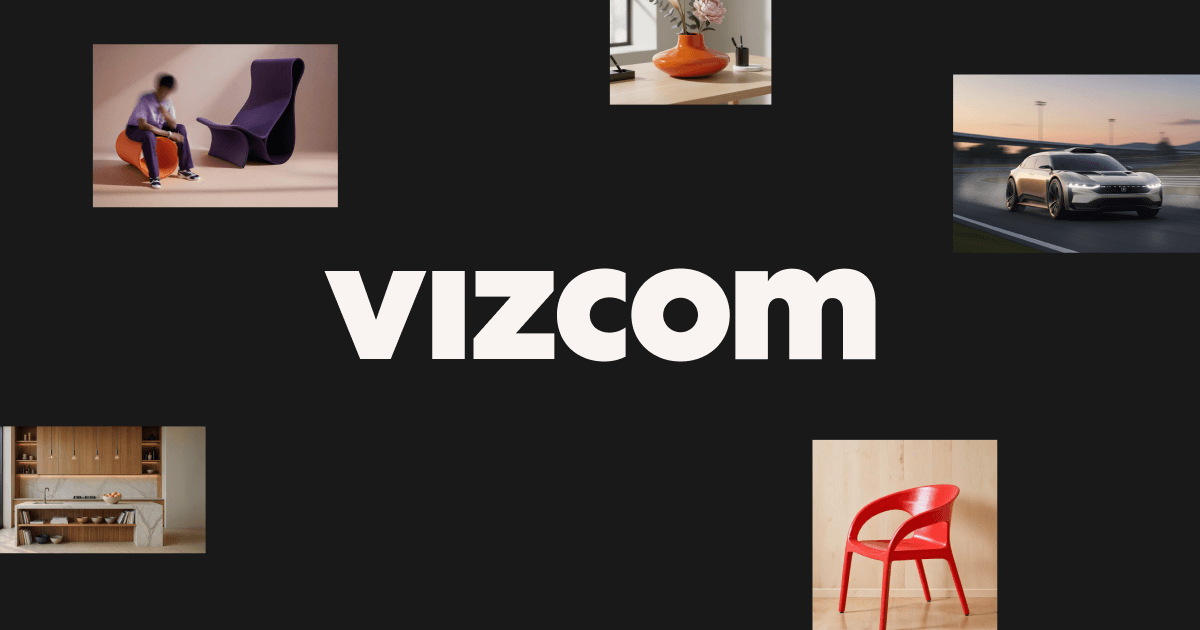
Vizcom's homepage, captured 9 September 2026, showing its design platform for product designers.
Vizcom: A Sketch Becomes A Render In Seconds
The positioning is a new way to design for the real world, described as an ideation toolkit bringing clarity to the messy middle of idea generation — from your vision, through variations, into reality.
The workflow named on the page is sketch, render, iterate, make it real, and the first word is the one that matters.
Almost every other generative image tool starts from a text prompt. A prompt is a poor container for a design idea: it cannot express proportion, stance, the specific curve a designer has in mind, or the several decisions already made in the first thirty seconds of drawing.
A sketch carries all of that, which is why starting from one produces a render that resembles what the designer intended rather than an interpretation of a description.
It also settles the authorship question in a way prompting does not. The concept originated with the designer, on paper or on screen, and the tool rendered it — a materially different relationship from generating a design and adopting it. That distinction is why this product sits comfortably in professional studios.
A prompt cannot express proportion, stance, or the specific curve a designer has in mind. A sketch carries all of it, plus the decisions made in the first thirty seconds.
Keeping The Designer's Line In The Output
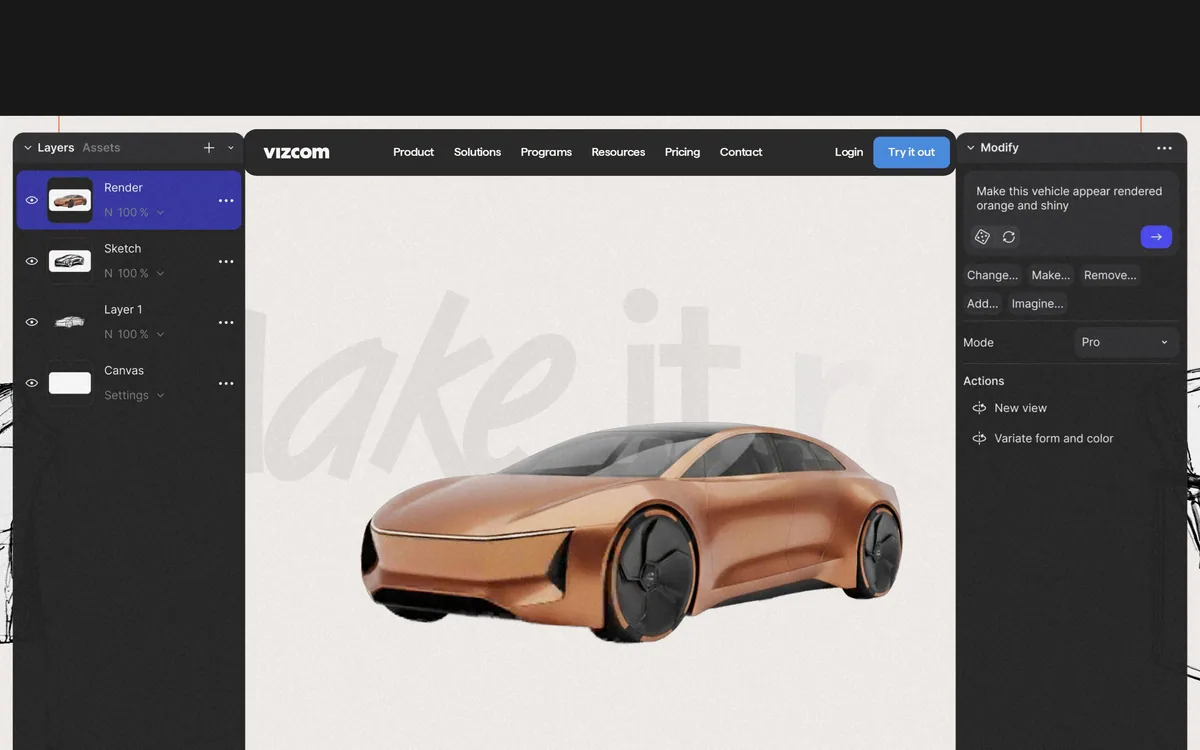
The editing tools are described in natural design language — adjust and edit any image, from large edits to little tweaks, with controls for palette, form, style, colour and new viewing angles at fixed rotations.
Preserving the original line through those edits is the whole technical problem, and it is more difficult than it sounds.
A render that beautifully ignores the sketch is useless. Designers can tell instantly when proportions have drifted, when a radius has been smoothed into something generic, or when a stance has been subtly corrected toward the average of everything the model has seen. Those are not small errors — they are the removal of the design.
The value is therefore in fidelity to the input rather than in the appeal of the output, which inverts how consumer image tools are judged.
The rotation control offering fixed increments is a small detail that signals the right intent, since generating a plausible alternative view of a specific object is much harder than generating a plausible object. Studio-oriented tools like Promethean AI take the same posture from the asset-library direction rather than the sketching one.
What Does The Messy Middle Actually Cost?
The phrase the messy middle of idea generation is doing precise work, and anyone who has run a design phase will recognise what it names.
The beginning of a project is cheap: sketches are fast and a designer can produce twenty in a morning. The end is well understood: a chosen direction gets modelled, engineered and prototyped. The middle is where time disappears.
The middle is the stretch where a direction has to be shown to people who cannot read a sketch. A client, a marketing lead or an executive looks at a line drawing and cannot see the product — so the designer renders it, which historically meant hours of modelling and material work for a concept that may be rejected in ten minutes.
The consequence is that fewer directions get shown, and the decision narrows before it should.
Removing that cost changes the shape of the phase rather than merely speeding it up. Six rendered directions instead of two means the choice is made from a wider field, and it means the designer is not emotionally committed to the one option they spent a day rendering. The named case studies — an automotive designer discussing a well-known coupe, a footwear designer, an extreme sports gear designer and a design university — describe exactly that professional context.
Start from your own sketch, not a text description.
Judge output on fidelity to the sketch, not on how good it looks.
Render more directions than you would have, and decide later.
Read the free-tier terms if the concept is confidential.
Keep the sketch — it is the record of authorship.
Free Tiers, Training Data And Your Concepts
The FAQ contains a statement worth quoting because so few companies in this category make one: what you create stays private and is used only to provide the service, while free users may have their generated images included to help improve Vizcom's services — and even then, Vizcom does not claim ownership of your designs, concepts or original ideas, and you retain full rights.
That is three separate commitments stated plainly, and the middle one is the unusual part.
Almost every free tier in generative software is funded partly by data. Very few say so in a customer-facing FAQ, in a sentence a buyer will actually read, and fewer still pair it with an explicit disclaimer of ownership over the concepts themselves.
The practical implication is straightforward rather than alarming. If you are exploring a confidential product for a client under NDA, that belongs on a paid tier, and now you know why rather than guessing. If you are a student or exploring personal work, the trade is clear and you can accept it knowingly.
That is what good disclosure achieves: not the absence of a trade-off, but a decision the user can actually make. The published Data and Security and Trust pages suggest the same posture extends beyond the FAQ. Enterprise design tools such as ARK Design AI should be asked the same question directly, because most will not volunteer it.
From Pixels To Something You Can Hold
The wider toolkit reaches beyond rendering: place your object in the real world and add motion by animating, drop in any 3D model and swap colours, materials and scenes instantly, direct a story across a series of clips, and enhance brings out detail in renderings.
One feature is described as turning your concept into something you can hold, and the framing from pixels to atoms tells you who this is for.
Industrial and product design has a constraint that screen-based design does not: the output is manufactured. A concept that renders beautifully and cannot be tooled, moulded or assembled is not a design, and this is where generative tools most often produce nonsense — plausible-looking objects with impossible geometry.
Starting from a designer's sketch mitigates that substantially, because a trained designer's line already respects manufacturing reality in ways a model does not know about.
Visualising existing 3D models is the complementary half and arguably the more practical one for a working studio. A model already exists in the pipeline; swapping colourways, materials and scenes on it instantly replaces a rendering queue that used to take days. The industry list — industrial, footwear, gaming, apparel, automotive — is specific enough to check against your own work. Broader creative platforms such as Adobe Firefly cover adjacent needs without this professional focus.
Fitting Rendering Into A Design Studio
The risk is not bad renders. It is a studio that starts generating concepts instead of designing them.
This order keeps the design work where it belongs.
Sketch first, on paper or on screen, before opening anything generative.
Render your own line and check the proportions survived.
Read the data terms before putting a client's confidential concept in.
Show more directions than you used to, and decide with the client.
Bring existing 3D models in for colourway and material variants.
Keep the sketch archive — it is your record of authorship.
Vizcom: Capabilities And Industries
Category
AI design platform for product and industrial designers
Core workflow
Sketch, render, iterate, make it real
Editing
Natural language adjustment across palette, form, style and colour
Views
New viewing angles at fixed rotation increments
3D
Existing models imported for instant colour, material and scene changes
Motion
Animation of objects and multi-clip sequences
Enhancement
An Enhance function bringing out detail in renderings
Industries
Enterprise, industrial, footwear, gaming, apparel and automotive
Free tier
A starter plan stated as completely free, no card required
Roles
Admin and Editor paid; Viewer free with read-only access
Data terms
Free users' generated images may be used to improve the service; ownership of designs not claimed
Resources
Documentation, student and educator programmes, plus Data and Security and Trust pages
Vizcom: What Designers Get Back
Starts from your sketch, not a prompt, so proportion and intent survive.
Natural-language editing across form, colour, style and viewing angle.
Existing 3D models supported, with instant colourway and material swaps.
Animation and multi-clip sequences for showing a concept in motion.
Published data terms: free-tier images may improve the service; your designs stay yours.
Key features of Vizcom
Sketch to full-fidelity rendering
Natural language image editing
Form, palette and style controls
New viewing angles at fixed rotations
Import and visualisation of existing 3D models
Instant colourway and material swaps
Object animation and multi-clip sequences
Detail enhancement on renderings
Pros & cons
Pros
7
Starting from a sketch preserves proportion and intent a prompt cannot carry
Authorship stays with the designer, which is why studios accept it
Removes the rendering cost that was narrowing decisions too early
Existing 3D model support is the most immediately practical capability
Publishes free-tier training terms in a customer-facing FAQ
Explicitly disclaims ownership of designs, concepts and original ideas
Named professional case studies across several manufacturing industries
Cons
7
Free-tier generations may be used to improve the service, so confidential work needs a paid plan
Fidelity to a sketch is the thing that matters and cannot be judged from marketing
Renders are not dimensionally accurate and are not engineering output
Little value for designers who do not sketch
Generated geometry can still be unmanufacturable without designer review
Data and Trust page detail sits behind links we did not follow
The tool can encourage generating concepts rather than designing them
Best For
Industrial and product designers who sketch
Footwear and apparel design teams producing colourways
Automotive studios exploring exterior and interior directions
Design educators and students learning visualisation
Agencies presenting multiple directions to clients
Last checked . Read from vizcom.com in a browser session on the date above, with the screenshot captured at the same time.
Positioned as an AI design platform for product designers, a new way to design for the real world
Workflow described as sketch, render, iterate, make it real
Framed as bringing clarity to the messy middle of idea generation
Editing described in natural design language across palette, form, style and colour
New viewing angles offered at fixed rotation increments
Existing 3D models stated to be importable with instant colour, material and scene swaps
Animation described for single objects and multi-clip sequences
An Enhance function described as bringing out detail in renderings
Named case studies including an automotive designer, a footwear designer and a design university
A free starter plan stated with no credit card required, and Viewer roles free
FAQ stating free users' generated images may be used to improve services, with no ownership claimed over designs, concepts or original ideas
Footer showing a 2026 copyright with Data and Security, Trust, privacy policy and terms of service pages
What we could not confirm: how faithfully renders preserve sketch proportions in practice; what the Data and Security and Trust pages state in detail, since we did not open them; how animation quality holds up; what the paid tiers change about data handling beyond the FAQ statement; and pricing. We did not upload a sketch or run a render.
Editor's Verdict
4.2/5
Vizcom starts from the designer's own line rather than from a text prompt, and that single architectural choice is why professional designers use it while treating general image generators as toys. A sketch carries proportion, intent and taste that no prompt conveys, and rendering it preserves the authorship. The company also does something almost nobody in this category does: it states explicitly that free users' generated images may be used to improve the service, and that it claims no ownership of your designs either way. Say what you do, and say it where people will read it. AInexfinder Editor Score: 4.2/5.
Vizcom pricing
AInexfinder does not list plan prices or billing details. For current pricing, plans, and trials, visit the official Vizcom website.
Vendor pricing, credits, and billing policies change over time. Always confirm on the official site before you buy.
Frequently asked questions
What does Vizcom do?
It turns a designer's sketch into a full-fidelity render in seconds, then allows editing in natural language across form, colour, style and viewing angle, with animation and existing 3D model support alongside.
Why start from a sketch rather than a prompt?
Because a prompt cannot express proportion, stance or the specific curve a designer has in mind. A sketch carries all of it, plus the decisions already made in the first thirty seconds of drawing.
Does that change the authorship question?
Materially. The concept originated with the designer and the tool rendered it, which is a different relationship from generating a design and adopting it. That distinction is why studios use it comfortably.
What is the messy middle?
The stretch where a direction must be shown to people who cannot read a sketch. It used to mean hours of modelling per concept, so fewer directions were shown and decisions narrowed too early.
Are my designs used to train anything?
The FAQ states what you create stays private and is used only to provide the service, while free users' generated images may be included to improve services — and that Vizcom claims no ownership of your designs.
So can I put client work in?
Confidential work under NDA belongs on a paid tier, and the value of the published statement is that you now know that rather than guessing. Personal or student exploration on the free tier is a clear, acceptable trade.
Can it produce engineering-accurate output?
No. These are visualisations, not dimensioned models. A render can look correct and describe geometry that cannot be tooled, which is why the designer's review remains the safeguard.
What is the most practical feature for a working studio?
Importing existing 3D models and swapping colours, materials and scenes instantly. A model already sits in the pipeline, and this replaces a rendering queue that used to take days.
Who actually uses it?
The site names case studies across automotive, footwear and extreme sports gear design, plus a design university, and lists industrial, gaming and apparel among its solution areas.
What is the risk in adopting it?
Not bad renders. A studio that starts generating concepts instead of designing them — which is why the discipline of sketching first, before opening anything generative, is worth keeping.
Daniel reviews AI tools the slow way — by actually using them on real projects. His reviews cover what works, what breaks, and who each tool is genuinely a good fit for.
Daniel and the AInexfinder editorial team research Vizcom using public product information, listing evidence, and (when available) hands-on checks. Scores reflect listing completeness and transparency — not paid placement.
Listings may include affiliate or sponsored placements, which are labeled when present. Editorial scores and cons are not sold. See our affiliate disclosure and review methodology.
Pet Pic Portraits turns a pet photo into styled artwork — Royal King, Pop Art, Watercolour, Viking, Wizard and more — with an instant preview before ordering. Output is a digital download, a canvas print or framed wall art, and it includes a pet memorial option.
krea2.org is a browser image-generation workspace that runs several third-party models side by side, including Krea 2 tiers, FLUX.2, GPT Image 2, Nano Banana and Seedream 5.0, with reference uploads, six aspect ratios and live model switching.
Canva AI is the Magic Studio suite built into Canva — Magic Write for copy, Dream Lab for images, Magic Edit, Expand and Eraser for photos, Magic Switch for reformatting, Magic Charts for data, and Canva Code for interactive widgets.
Pixlr is a browser-based photo editor from Pixlr Pte Ltd with two editors and a generative AI layer — Generative Fill, Expand and Transform, background and object removal, Super Scale upscaling, face swap, plus image, video, and audio generation.
GenApe is an all-in-one AI platform covering writing, chat, image and video generation, image editing, product photography, translation, and research — with 145 free credits on signup and commercial rights granted to paid users.
Magic Patterns is an AI design tool for product teams that turns prompts, requirements and ideas into high-fidelity UI, matching your existing design system so teams can prototype and test directions before committing engineering resources.