YouMind is an AI creation studio that turns saved articles, videos and notes into finished work — writing, slides, images, video and webpages — with reusable creator-built skills, across web, macOS, iOS and Android.
youmind.com6 viewsAdded August 5, 202541K visitors
Most AI tools pick a lane: a writer, a slide maker, an image generator. YouMind deliberately refuses to, positioning itself as a studio where the same saved material can become any of those, and where the point is as much understanding a topic as producing something from it.
The flow starts with inspiration you capture — an article, a video, a podcast, a half-formed thought — and moves through building understanding with AI to turning that into articles, slides, images, videos or webpages. Reusable skills, built and shared by its community, let a particular kind of output be produced the same way each time.
This review covers how that save-understand-make loop works, which formats it genuinely produces, how it differs from a notes app or a plain chatbot, how it is priced, and who will thrive in a broad studio versus who will find it does too much.
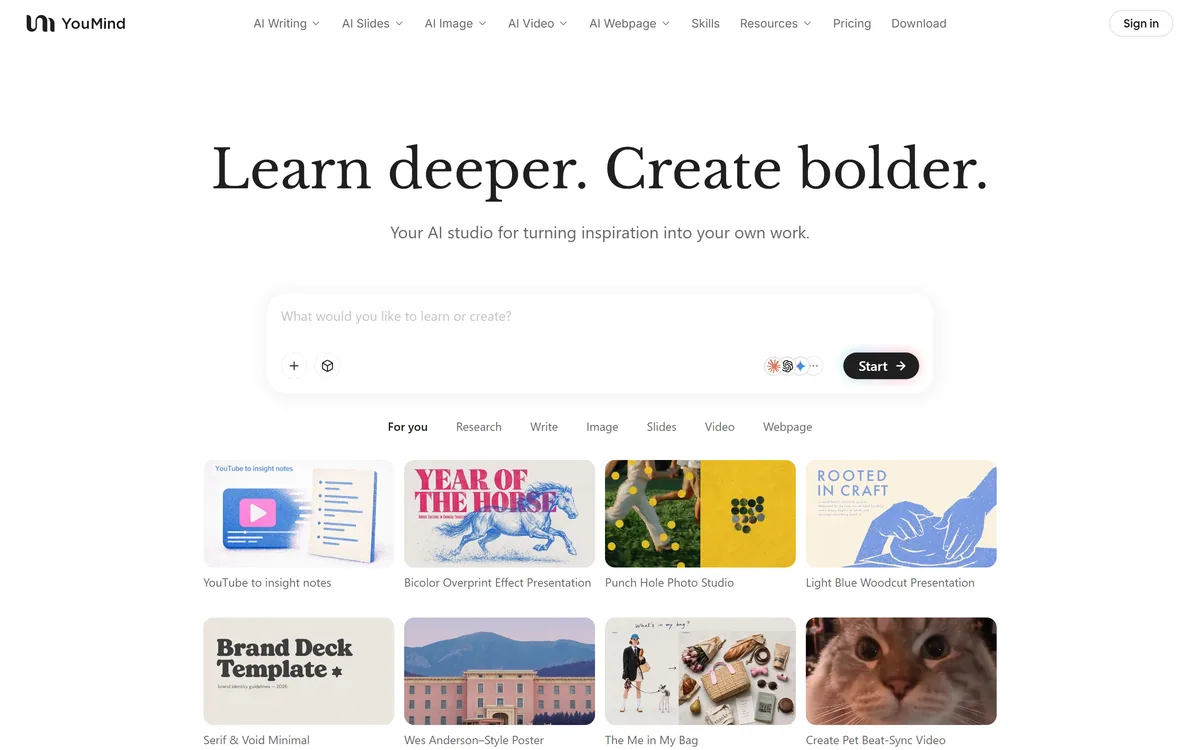
YouMind opens on a single prompt: what would you like to learn or create?
YouMind Distilled Into Four Points
YouMind is an AI creation studio that turns things you save — articles, videos, podcasts, notes — into finished writing, slides, images, video and webpages.
Its angle is learning plus making: you build understanding of a topic first, then shape it into output, rather than prompting cold.
Reusable skills let creators build and share recipes for producing a particular kind of result consistently.
It is broad and young, spanning many formats across web, macOS, iOS and Android — powerful, but more surface than some people need.
From Saved Inspiration To A Finished Piece In YouMind
The loop YouMind is built around is distinctive. You bring what caught your eye — save articles, videos, podcasts and notes in one place — then use AI to ask questions, connect ideas and explore perspectives, and only then turn that understanding into something you make.
That ordering matters. Most generation tools assume you already know what you want and prompt for it; YouMind assumes you are still working it out, and treats the learning stage as part of the product rather than homework you do elsewhere. For people who create from research rather than from a finished brief, that is a genuinely different and useful shape.
The risk of the approach is the same as its appeal: an open studio with no fixed output can feel unfocused if you arrive knowing exactly what you want and just need it made.
YouMind assumes you are still working out what you want to say — and treats that figuring-out as part of the tool, not homework you do somewhere else.
Which Formats Can YouMind Turn Your Notes Into?
The studio's breadth is the headline, and it is real: one body of saved material can become several very different kinds of output without switching tools.
Writing, Slides, Image, Video And Webpage
YouMind produces long-form writing, slide decks, images, short videos and standalone webpages from the same workspace. The examples it showcases — a luxury-travel deck, a product video, a minimalist webpage — point at marketing and content-creator use as much as study.
On any single format, specialists go deeper. A deck tool like Gamma will out-polish YouMind on slides alone; YouMind's bet is that not having to leave for each format is worth more than squeezing the last ten percent out of any one of them.
Reusable Skills Built By Creators
Skills are YouMind's way of making a good result repeatable. A creator builds a recipe for producing a particular kind of output — a thumbnail style, a lesson format, a post shape — and it can be reused and shared rather than re-prompted from scratch each time.
For regular creators this is the feature that compounds: once a skill reliably produces the result you want, you are no longer re-explaining yourself to the model every session. It also means the library of what YouMind can do grows with its community rather than only with its roadmap.
How YouMind Differs From A Notes App Or A Chatbot
It is easy to mistake YouMind for something you already have, so the distinction is worth drawing. It is not a notes app, and it is not a chatbot, though it borrows from both.
Against a knowledge tool like Notion AI, the difference is direction: Notion is a workspace you organise and occasionally generate inside, while YouMind is oriented around turning captured material into finished output. Against a general assistant like Perplexity AI, which answers questions well but hands you text, YouMind is trying to carry you from the question all the way to a made artefact.
Whether that combined scope is a strength depends on you. If your current setup is a notes app plus a chatbot plus three generators, a single studio is appealing. If you already have a tool you love for each job, YouMind has to beat the sum of them, which is a high bar.
How YouMind Prices Its Creation Studio
YouMind runs on a subscription with a free entry point, and offers apps across web, macOS, iOS and Android plus a browser extension, so the paid plan follows you across devices rather than being tied to one.
AInexfinder does not publish plan prices because they change and the vendor states them best. The sensible way to think about the cost is consolidation: YouMind is worth paying for if it genuinely replaces several tools you currently pay for separately, and poor value if you would use only one corner of it.
Because it spans so many formats, check which ones and which usage limits your plan actually includes before assuming the studio does everything on the entry tier.
A Short Way To Put YouMind Through Its Paces
The only way to know whether a broad studio suits you is to run one real project through its whole loop, not to poke at individual features.
Save three or four real sources on a topic you are actually working on — an article, a video, a couple of notes.
Use the AI to build understanding: ask questions and connect ideas, and judge whether it adds to your grasp or just summarises.
Turn that material into two different formats — say a short piece of writing and a deck — from the same workspace.
Create or reuse a skill and run it twice to check it produces a consistent result rather than a different one each time.
Compare one output against whatever specialist tool you would normally use for that format.
Pass/fail: YouMind earns its place only if the single-studio convenience outweighs the specialists on at least one format you care about.
Finally, confirm the formats and limits you need are included in the plan tier you would actually buy.
YouMind Terms Worth Knowing
Source
An article, video, podcast or note you save into YouMind as raw material to learn from and build on.
Skill
A reusable recipe for producing a particular kind of output, built by a creator and shareable rather than re-prompted each time.
Studio
YouMind's multi-format creation surface, where saved material becomes writing, slides, images, video or a webpage.
Learning-first loop
YouMind's save, understand, then make sequence, which treats building understanding as part of creating rather than a separate step.
YouMind Studio Facts To Note
What it is
AI studio for learning and multi-format creation
Operator
MIND MOTOR PTE. LTD. (Singapore)
Starts from
Saved articles, videos, podcasts and notes
Output formats
Writing, slides, images, video and webpages
Reusable skills
Creator-built recipes you can run and share
Platforms
Web, macOS, iOS, Android, plus a browser extension
Comparisons it draws
Notion, Gemini Notebook, ChatGPT, Gamma, Manus and others
Account type
Subscription with a free entry point
Key features of YouMind
Saves articles, videos, podcasts and notes as source material
AI that helps build understanding before you create
Output as long-form writing, slides, images, video and webpages
Reusable, shareable creator-built skills
Apps across web, macOS, iOS and Android
A browser extension for capturing inspiration
A single workspace spanning many formats
Comparison and template resources for common tasks
Pros & cons
Pros
5
Genuinely novel learn-then-make loop for research-led creators
One studio replaces a notes app, a chatbot and several generators
Reusable skills make a good result repeatable
Works across every major device plus a browser extension
Lowers the switching cost between formats on one project
Cons
5
Specialists go deeper on any single format
A broad, open studio can feel unfocused if you know what you want
A young product without mature enterprise controls
Value depends on actually using more than one corner of it
Format and usage coverage varies by plan tier
Best For
Creators who work from research and inspiration
People who want many formats in one workspace
Anyone tired of juggling separate single-purpose tools
Those who will build and reuse skills
Learners producing output from what they study
YouMind Measured Against Other Creation Studios
The real comparison is a broad studio against the specialists it hopes to replace.
Perplexity AI — fast, sourced research answers to start from
Editor's Verdict
3.9/5
YouMind earns 3.9 for a genuinely distinctive learn-then-make loop and real multi-format breadth in one studio; it is held back by depth that trails format specialists and by being young and broad enough that some users will only ever touch one corner of it. AInexfinder Editor Score: 3.9/5.
YouMind pricing
AInexfinder does not list plan prices or billing details. For current pricing, plans, and trials, visit the official YouMind website.
Vendor pricing, credits, and billing policies change over time. Always confirm on the official site before you buy.
Frequently asked questions
What is YouMind?
YouMind is an AI creation studio that turns saved material — articles, videos, podcasts and notes — into finished output such as writing, slides, images, video and webpages. Its distinctive angle is building understanding of a topic first, then creating from it.
What can YouMind actually create?
From one workspace it produces long-form writing, slide decks, images, short videos and standalone webpages. The same saved material can become several of these without switching tools, which is the core of its studio pitch.
What are skills in YouMind?
Skills are reusable recipes for producing a particular kind of result. A creator builds one and can share it, so a thumbnail style, lesson format or post shape can be reproduced consistently instead of re-prompting the model from scratch every time.
How is YouMind different from Notion AI?
Notion AI lives inside a knowledge workspace you organise and occasionally generate within. YouMind is oriented around turning captured material into finished output across many formats. If you want organisation, Notion fits; if you want to go from sources to an artefact, YouMind fits.
How is YouMind different from a chatbot like Perplexity AI?
A general assistant answers questions and hands you text. YouMind tries to carry you from the question all the way to a made output — a deck, a video, a webpage. It is a creation studio with learning built in, not only an answer engine.
Is YouMind free?
There is a free entry point, with fuller use on paid subscription plans that follow you across web, macOS, iOS and Android. Check which formats and usage limits your plan includes, since the studio spans many output types.
Is YouMind worth it if I already use separate tools?
Only if it genuinely replaces several of them. YouMind's value is consolidation, so it pays off when you are tired of juggling a notes app, a chatbot and multiple generators. If you love a dedicated tool for each job, it has to beat their sum.
Which devices does YouMind run on?
It offers apps for web, macOS, iOS and Android, plus a browser extension for capturing inspiration. A paid plan works across your devices rather than being tied to one, which suits creators who move between phone and desktop.
Is YouMind good for slides specifically?
It can make slide decks from your material, but a dedicated deck tool like Gamma will out-polish it on slides alone. YouMind's advantage is not leaving for each format; if slides are your only need, a specialist is the better pick.
Who operates YouMind?
YouMind is operated by MIND MOTOR PTE. LTD., a Singapore company named in the site footer. It is a relatively young product, so expect rapid change and fewer mature enterprise controls than long-established tools.
Daniel reviews AI tools the slow way — by actually using them on real projects. His reviews cover what works, what breaks, and who each tool is genuinely a good fit for.
Daniel and the AInexfinder editorial team research YouMind using public product information, listing evidence, and (when available) hands-on checks. Scores reflect listing completeness and transparency — not paid placement.
Listings may include affiliate or sponsored placements, which are labeled when present. Editorial scores and cons are not sold. See our affiliate disclosure and review methodology.
axess is a free AI job-search tool that scans LinkedIn, Indeed and Glassdoor daily, scores each role against your profile on both relevance and likelihood, researches the employer, and prepares a tailored CV and cover letter for the matches worth pursuing.
Otter.ai transcribes meetings live, writes summaries and action items, and organises everything into searchable Channels — with OtterPilot joining Zoom, Teams, and Google Meet, plus role-specific agents for sales, recruiting, and SDR work.
MiroFish is a multi-agent simulation platform for scenario prediction. You ask a plain-language question, attach supporting files, and it returns a structured report covering likely reactions, narrative paths, risk signals and follow-up questions.
AudioNotes is an AI note-taker that turns voice, audio, video and text into structured notes, transcripts and summaries in 99+ languages, with custom templates, chat-with-your-notes, integrations, and a clear no-AI-training privacy stance.
CrewAI is an enterprise platform to build and run AI agents: a Discovery layer that finds automation opportunities, a no-code canvas and code-first Python API for building role-based multi-agent workflows, and a control plane that adds tracing, RBAC, audit and human-in-the-loop approvals.
Goodnotes is a handwriting-first note-taking app spanning iPad, iPhone, Mac, Windows, Android and web. It converts handwriting to text, searches across typed text, handwriting and sketches, annotates PDFs, records and transcribes audio, and turns notes into mind maps and project plans.