
Duplichecker review on AInexfinder — freemium AI tool for Writing & Content. Features, pricing notes, and alternatives.
FreemiumWriting & Content
Linguix is a browser-based writing assistant checking grammar, spelling and style across seven languages on any website, with an AI rewriter, a content score, text shortcuts for repeated replies, a team style guide, and business features including role assignment and a grammar-check API.
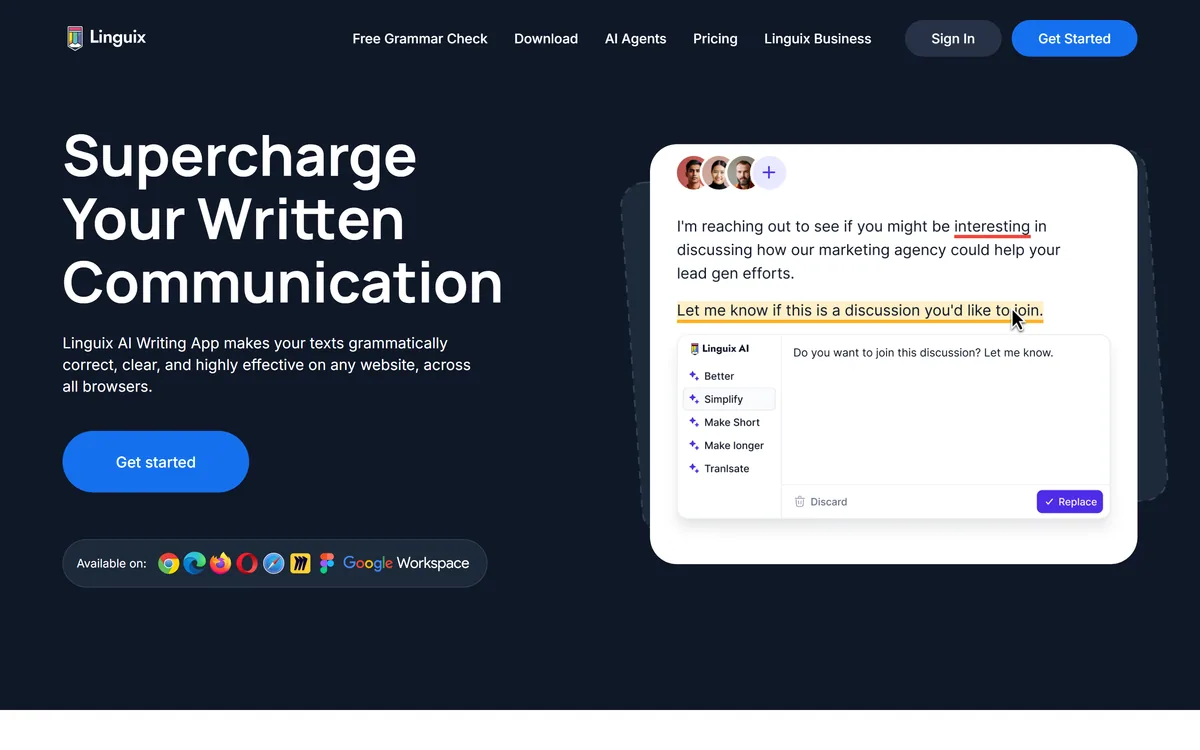
Browser extension working across websites
Grammar, spelling and punctuation checking
Seven-language support with automatic detection
AI rewriter and writing suggestions
Content score for drafts
Text shortcuts for repeated replies
Shared team style guide
Grammar-check API and white-label option
Writing aids differ by where they run and what they do to your text.
| Tool | Runs | Does | Best for |
|---|---|---|---|
| Linguix | Browser extension, everywhere you type | Corrects, rewrites and expands shortcuts | Teams writing in several languages |
| Hemingway Editor | A dedicated editor | Marks problems, you fix them | Learning to write more clearly |
| Humalingo | Web app | Rewrites text wholesale | A category we treat cautiously |
| LogicBalls | Web app | Generates from templates | Producing a draft rather than fixing one |
| Frase | Content platform | Optimises for search and AI | Writing that must be found |
Linguix describes multilingual grammar and spell checking with automatic language detection, alongside an AI rewriter, a content score and style suggestions.
It is worth separating what a checker reliably catches from what it cannot, because the categories behave differently.
Mechanical errors are the reliable ground: spelling, agreement, tense consistency, punctuation, doubled words. These have right answers, and a checker finds them faster and more consistently than a person rereading their own work — which is precisely the thing people are worst at.
Style suggestions are softer and correspondingly less reliable. Sentence length, hedging, register and tone are preferences dressed as rules, and a suggestion to shorten a sentence is a judgement rather than a correction.
The third category is the one no checker reaches: whether the thing you wrote is true, relevant, or worth sending. A grammatically immaculate email making the wrong argument passes every check — which is why a tool like Hemingway Editor deliberately marks rather than fixes, and why neither approach removes the need to read your own work.
A grammatically immaculate email making the wrong argument passes every check. That is the category no assistant reaches.
The site describes checking documents in six languages, then lists seven: English, French, German, Spanish, Portuguese, Italian and Polish. Its footer offers a separate grammar checker page for each of them.
The inconsistency is minor and worth noting, because a product that miscounts its own headline feature invites a question about what else has drifted.
The capability itself is the more substantial point. Genuine multilingual checking is harder than it sounds, because grammar errors differ by language in kind rather than degree — German case agreement, Romance-language gender concord and Polish inflection are different problems needing different rules.
Automatic language detection matters practically because multilingual teams switch mid-thread. Someone answering a French customer and then a German one should not have to change a setting, and forgetting to is how you get a document checked against the wrong grammar entirely.
For a European team writing daily across markets, that combination is a genuine differentiator against the English-first tools that dominate this category.
Among the team features sits shortcuts, described in the customer support context as creating expansions for frequent requests so agents communicate consistently and close tickets faster.
This is the feature that saves the most measurable time and gets the least attention.
The arithmetic is straightforward. A support agent answering forty tickets a day types the same six explanations repeatedly — the refund policy, the password reset, the escalation path. Even at a minute each, that is a meaningful share of the working day spent retyping known text.
Text expansion removes it entirely, and it does something else worth more: it makes the answer consistent. Ten agents typing the refund policy from memory produce ten slightly different policies, and the differences surface later as complaints.
Pairing shortcuts with a shared style guide is the coherent version of this. One is the mechanism, the other is the standard, and together they turn a team's written output from forty individual habits into something a company can actually stand behind.
The business tier adds team onboarding, role assignment and tracking the quality of communications, aimed explicitly at sales, marketing and customer support.
Quality tracking is the feature to think hardest about, in both directions.
The legitimate use is coaching. Knowing that one part of a support team writes noticeably less clearly than another is genuinely actionable — it points at training rather than at people, and it improves something customers experience directly.
The uncomfortable use is surveillance. A system scoring individual employees' writing is a monitoring tool, and how it is presented determines whether a team experiences it as help or as a performance metric they are being measured against without agreement.
That is a management decision rather than a software one, and the practical advice is the same as for any workplace analytics: tell people it exists, tell them what it is used for, and use it for the thing you said. Deployed quietly, it does more damage to trust than it recovers in clarity. Tools that rewrite wholesale, such as Humalingo, raise a different question again, and template generators like LogicBalls a third.
Linguix displays its standing across six places: a featured Chrome extension with over five hundred reviews, an Edge listing with twenty-two, a Product Hunt position with several hundred upvotes, a G2 proofreading listing with over a hundred reviews, a five-star Figma app, and a Capterra listing with ninety.
Publishing six sources rather than one is more informative than a single flattering number, and the spread tells you something.
The Chrome figure is the meaningful one — it is where the product actually lives, and several hundred reviews on a featured extension is a real user base. The Edge count in the low twenties tells you where it does not.
Presenting G2 category averages alongside its own listing is the part to read carefully. Numbers labelled as proofreading averages describe the category rather than the product, and a reader scanning quickly could easily take them for Linguix's own scores.
The 450,000-user claim sits above all of it without a definition. As always, that counts installs or registrations rather than people who use it, and the review counts are the better guide to how many stayed.
The risk with an always-on assistant is accepting every suggestion until your writing has no edges left.
This sequence keeps the mechanical help and leaves the voice alone.
| Company | Textly Inc., per the footer |
|---|---|
| Delivery | Browser extension working across Gmail, Google Docs, Canva and other sites |
| Languages | English, French, German, Spanish, Portuguese, Italian and Polish, with automatic detection |
| Core checks | Grammar, spelling, punctuation and style |
| AI features | AI-based writing, a rewriter and a content score |
| Team features | Shortcuts, style guide, team management and role assignment |
| Verticals addressed | Sales, marketing and customer support |
| Developer options | A grammar-check API and a white-label offering |
| Free tools | An AI content detector, per-language grammar checkers and writing tools |
| Claimed users | 450,000-plus |
| Store presence | Featured on the Chrome and Edge stores, plus Product Hunt, G2, Capterra and Figma listings |
| Other products | An AI agent library and helpdesk software |
Other tools across correction, generation and clarity.
Last checked . Read from linguix.com in a browser session on the date above, including the full footer. The screenshot was captured at the same time.
What we could not confirm: why the site states six languages and then lists seven; whether the numbers displayed beside ease of use, support and setup are Linguix's own G2 scores or the proofreading category averages they are labelled as; what the 450,000-plus user figure counts; what data the extension processes and where, which matters for a tool reading everything you type; how quality tracking presents individual scores to managers; and pricing, which we did not reproduce. We did not install the extension.
Linguix competes in the most crowded category in writing software and picks two defensible positions: genuine multilingual checking rather than English with translations bolted on, and shortcuts for teams that type the same reply forty times a day. The second is the one that actually saves time, and it is the one nobody markets. Its own product listings are inconsistent about how many languages it supports, which is a small thing that should be right. As a browser layer it is unobtrusive and broadly useful; as a replacement for editing, it is not meant to be. AInexfinder Editor Score: 3.9/5.
AInexfinder does not list plan prices or billing details. For current pricing, plans, and trials, visit the official Linguix website.
Visit official website for pricingVendor pricing, credits, and billing policies change over time. Always confirm on the official site before you buy.
Log in to write a review.
No reviews yet. Be the first to share your experience with Linguix.
Assigned reviewer
Daniel ReedSenior AI Tools Reviewer
Daniel reviews AI tools the slow way — by actually using them on real projects. His reviews cover what works, what breaks, and who each tool is genuinely a good fit for.
Daniel and the AInexfinder editorial team research Linguix using public product information, listing evidence, and (when available) hands-on checks. Scores reflect listing completeness and transparency — not paid placement.
Duplichecker review on AInexfinder — freemium AI tool for Writing & Content. Features, pricing notes, and alternatives.
Hemingway Editor highlights writing problems by colour — long sentences in yellow, unreadable ones in red, complex words in purple, adverbs and passive voice in blue — and reports a readability grade. A paid tier adds AI fixes, an advanced grammar checker and tone adjustment.
ProWritingAid is a writing platform for novelists from Orpheus Technology, combining grammar and style reports with manuscript-level critique — Chapter Critique, Character Analysis, Virtual Beta Reader and Marketability Analysis — across Word, Google Docs and Scrivener.

Grammarly is an AI writing assistant that checks grammar, clarity, and tone wherever you already write — browser, desktop, mobile keyboard, Google Docs, and Microsoft Office — and now ships AI agents for humanising, detecting, and grading text.
Originality.ai detects AI-generated text and checks for plagiarism, with fact checking, readability and grammar tools alongside. It runs on a patented modified BERT model, publishes its own false positive rates, and is built around team workflows for publishers and agencies rather than individual writers.

Copy.ai has become an AI-native go-to-market platform: workflows and agents that run prospecting, lead processing, deal coaching, ABM, and CRM enrichment across Salesforce, HubSpot, Gong, Outreach, and 2,000+ integrations.