

The workspace at www-flux3.com generates 5–20 second AI videos with native audio from text or a starting image, routing across FLUX 3, MiniMax H3, Seedance, Wan 3.0 and Kling 3.0 Pro, at 720p or 1080p with video extension.
FreeVideo & Audio
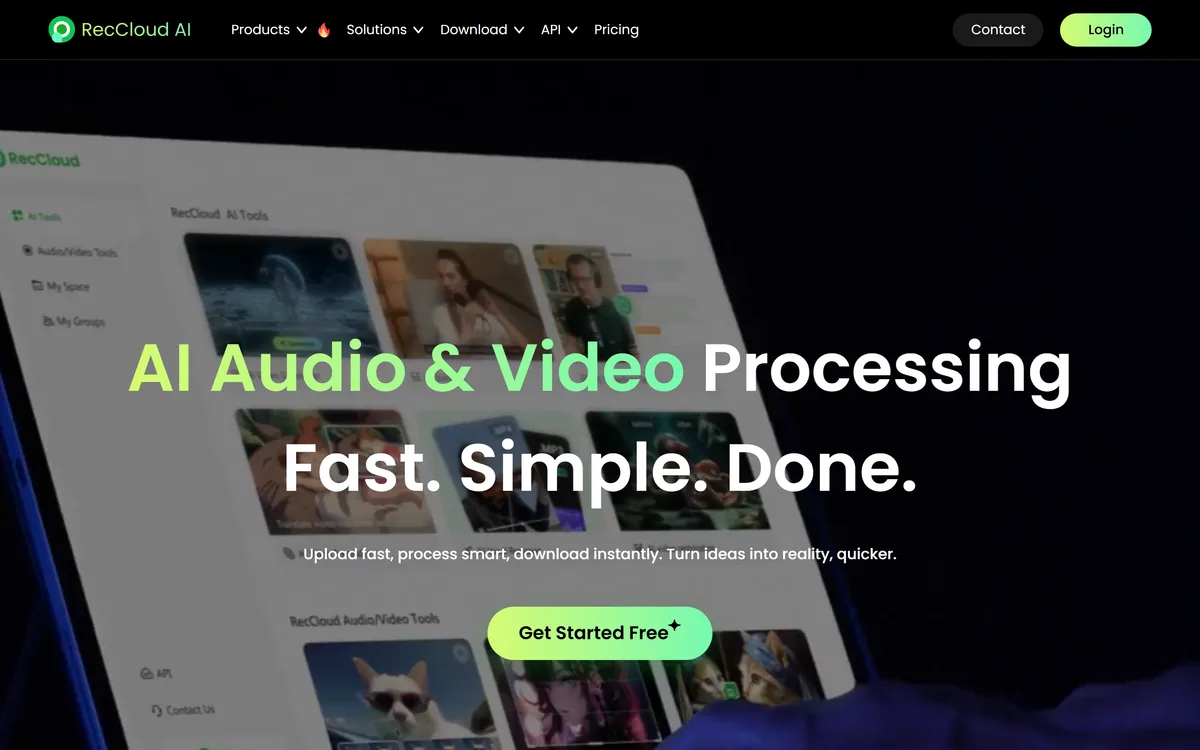
RecCloud bundles speech-to-text, video translation, subtitle generation, voice synthesis, summarisation, video generation and vocal removal into a single browser-based toolkit, with screen recording and basic trimming alongside, on web, iOS and Android.
| Category | Browser-based AI audio and video processing toolkit |
|---|---|
| AI products | Speech to text, video translator, subtitle generator, voice generator, summariser, video generator, vocal remover |
| Named workflows | Audio translation, video transcription, medical transcription, meeting transcription |
| Video sources | Includes translating online video and existing subtitle files |
| Recording | Browser-based screen recording |
| Editing | Trim, crop and merge in the browser |
| Summaries | Video and audio summarisation into text |
| Access | Web, iOS and Android, with an API offered |
| Onboarding | A free tier, described as get started free |
| Extras | Student discount and an affiliate programme |
| Content | A blog covering captioning, hooks and voice memo workflows |
| Footer | Copyright 2026, with terms, privacy and cookies policies |
The positioning is unambitious in a way that works: AI audio and video processing, fast, simple, done — upload fast, process smart, download instantly.
There is no thesis here about changing how anyone works, and that is a reasonable choice for the category.
The seven AI products are transcription, video translation, subtitle generation, voice generation, video and audio summarisation, video generation and vocal removal. Each is a well-defined single-purpose job, and each has dedicated competitors doing it more deeply.
The bet is that most people do not need the deepest version of any one of them. They need to caption a course video, pull a transcript out of a lecture, and remove the backing track from a demo — three jobs across three tools, on three different sites, each requiring an account.
Bundling them is a real convenience, and it is the same logic that keeps office suites together. Whether it is the right choice depends entirely on whether any single one of those jobs is central to your work.
The bet is that you do not need the deepest version of any one of these — you need three shallow ones without opening three accounts.
Transcription is the tool most people will use most, and it is the one where quality varies most invisibly.
Accuracy in speech-to-text is not a single property. It is a function of audio quality, accent, overlapping speech, background noise and how much specialised vocabulary appears — and the same engine can produce a near-perfect transcript of a clear solo recording and a poor one of a four-person meeting.
This is why headline accuracy percentages should be read sceptically wherever they appear. A figure measured on clean read speech tells you nothing about a conference call, and no vendor benchmarks on the hard case.
The features that determine whether a transcript is usable are usually mundane: speaker separation, timestamps, an editor for fixing errors, and a custom vocabulary for names and terms the model will otherwise mangle.
The pages we read describe outputs rather than these mechanics, so a trial on your own worst-case audio is the only reliable test. Dedicated transcription services such as Cockatoo publish more about how they handle exactly these conditions.
The connective logic in a bundle like this is the pipeline, not the individual tools, and it is worth thinking about how the pieces chain.
A single real workflow runs through most of them. You record a lecture, transcribe it, generate subtitles from the transcript, translate those subtitles for an international audience, and summarise the whole thing into notes.
Every step there consumes the previous step's output, and that is the actual argument for a bundle: not that each tool is best, but that the handoffs are already wired.
The friction in doing this across separate services is not the cost — it is exporting a file from one tool in a format the next one accepts, and doing it four times.
The site's testimonials describe three separate versions of this: a student transcribing lectures, a creator generating multilingual voice, and an educator producing subtitles and translations for recorded courses. Those are the archetypal users, and none of them needs a broadcast-grade result. Subtitle specialists such as Zeemo go considerably deeper on styling and timing if captions are your main output.
Three of the seven tools handle language, and they are the ones with the clearest commercial value.
Subtitles matter for a reason unrelated to accessibility statistics: most social video is watched with the sound off, so uncaptioned video simply does not communicate. That has made subtitle generation a baseline requirement rather than an enhancement.
Translation of subtitles extends reach at almost no marginal cost, which is why it appears in every toolkit of this kind. The quality question is different from the accuracy question, though, and it is worth separating.
Machine translation of a transcript compounds two error sources. A misheard word becomes a mistranslated one, and the reader has no way to tell which stage failed. Idiom is the second problem: spoken language is full of phrasing that translates literally into nonsense, and subtitle length constraints make it worse by forcing compression.
For a course, a product demo or a marketing video that is an acceptable trade. For anything where a mistranslation carries consequence, a human pass over the output is not optional. BlipCut focuses specifically on the video translation problem if that is the main job.
Being honest about the limits is more useful here than listing more features, and there are three worth naming.
The first is depth. Every one of these seven tools has a specialist competitor, and if one job is central to your work — you caption video daily, or transcription is your profession — the specialist will win on the details that matter at volume.
The second is the absence of published specifics. The pages we read state what each tool does and not how well: no accuracy figures, no supported language counts, no processing limits. That is normal for consumer software and it makes comparison impossible without a trial.
The third is the medical transcription workflow listed among the solutions. Medical recordings contain protected health information in most jurisdictions, and processing them through any cloud service raises questions a marketing page does not answer.
We make no claim about what the company does or does not publish elsewhere, and the terms and privacy pages exist in the footer. But anyone considering that specific use should establish the compliance position in writing first, because the obligation sits with whoever holds the recording.
The value of a toolkit like this is realised in the chain, not in any single tool.
This order gets the most out of it.
AI speech to text transcription
Video and audio translation
Automatic subtitle generation
Text to speech voice generation
Video and audio summarisation
Text to video generation
Vocal removal from audio tracks
Browser screen recording with trim, crop and merge
Media tools differ by breadth against depth.
| Tool | Covers | Depth | Best for |
|---|---|---|---|
| RecCloud | Seven jobs in one account | Adequate across all of them | Occasional needs across many tasks |
| Cockatoo | Transcription | Specialist | Transcripts you depend on |
| Zeemo | Subtitles and captions | Specialist | Styled captions at volume |
| BlipCut | Video translation and dubbing | Specialist | Reaching other language markets |
| A video editor | Everything, manually | Complete control | Work where the result is the product |
Other tools for transcription, captioning and translation.
Last checked . Read from reccloud.com in a browser session on the date above, with the screenshot captured at the same time.
What we could not confirm: transcription accuracy under any conditions, since no figures are published; how many languages each tool supports; whether transcripts include speaker separation or timestamps; file size and duration limits; what compliance framework covers the medical transcription workflow; and pricing. We did not upload a file or process a recording.
RecCloud is a competent generalist, and that is both the appeal and the limit. Bundling transcription, subtitles, translation, voice synthesis and summarisation into one account genuinely removes the tab-juggling that makes small media jobs tedious, and for a student, a course creator or a marketer the coverage is enough. What the public pages do not offer is any of the detail a serious buyer would compare on — no accuracy figures, no language counts, no stated compliance — which matters most for the medical transcription use case listed among its solutions. AInexfinder Editor Score: 3.6/5.
AInexfinder does not list plan prices or billing details. For current pricing, plans, and trials, visit the official RecCloud website.
Visit official website for pricingVendor pricing, credits, and billing policies change over time. Always confirm on the official site before you buy.
Log in to write a review.
No reviews yet. Be the first to share your experience with RecCloud.
Assigned reviewer
Daniel ReedSenior AI Tools Reviewer
Daniel reviews AI tools the slow way — by actually using them on real projects. His reviews cover what works, what breaks, and who each tool is genuinely a good fit for.
Daniel and the AInexfinder editorial team research RecCloud using public product information, listing evidence, and (when available) hands-on checks. Scores reflect listing completeness and transparency — not paid placement.
The workspace at www-flux3.com generates 5–20 second AI videos with native audio from text or a starting image, routing across FLUX 3, MiniMax H3, Seedance, Wan 3.0 and Kling 3.0 Pro, at 720p or 1080p with video extension.

Runway is an AI video platform built around generative world models — Gen-4.5, Aleph 2.0, and Act-Two for performance capture — split across Runway Creative for filmmakers, Runway Dev for builders, and Runway Robotics.

Descript is a video and audio editor that works by editing a transcript — delete a sentence and the footage goes with it — plus Studio Sound, Eye Contact, filler-word removal, AI voices, avatars, and the Underlord assistant.
Treblo generates complete songs from a text prompt in any style, with a browsable style library, an Explore feed of what others have made, iOS and Android apps, and a developer section for building on it.

kling3ai.co is an independent interface offering video generation through Kling 3.0 and Seedance models, with multi-shot storyboarding, motion control and 4K output. It is not Kuaishou's official Kling service, which runs at kling.ai.
Vibrantsnap is an AI tool that turns a rough screen recording into a polished walkthrough: it rewrites your narration, reads it in a studio voice in any language, and auto-edits the video with zooms, chapters and captions.