InfluencerMarketing.ai (IMAI) is an end-to-end creator platform combining discovery across a vast influencer database with AI vetting, outreach, briefs, tracking and media-value measurement, plus white-label and newer PR and LLM-visibility modules.
Vista Social
Verified
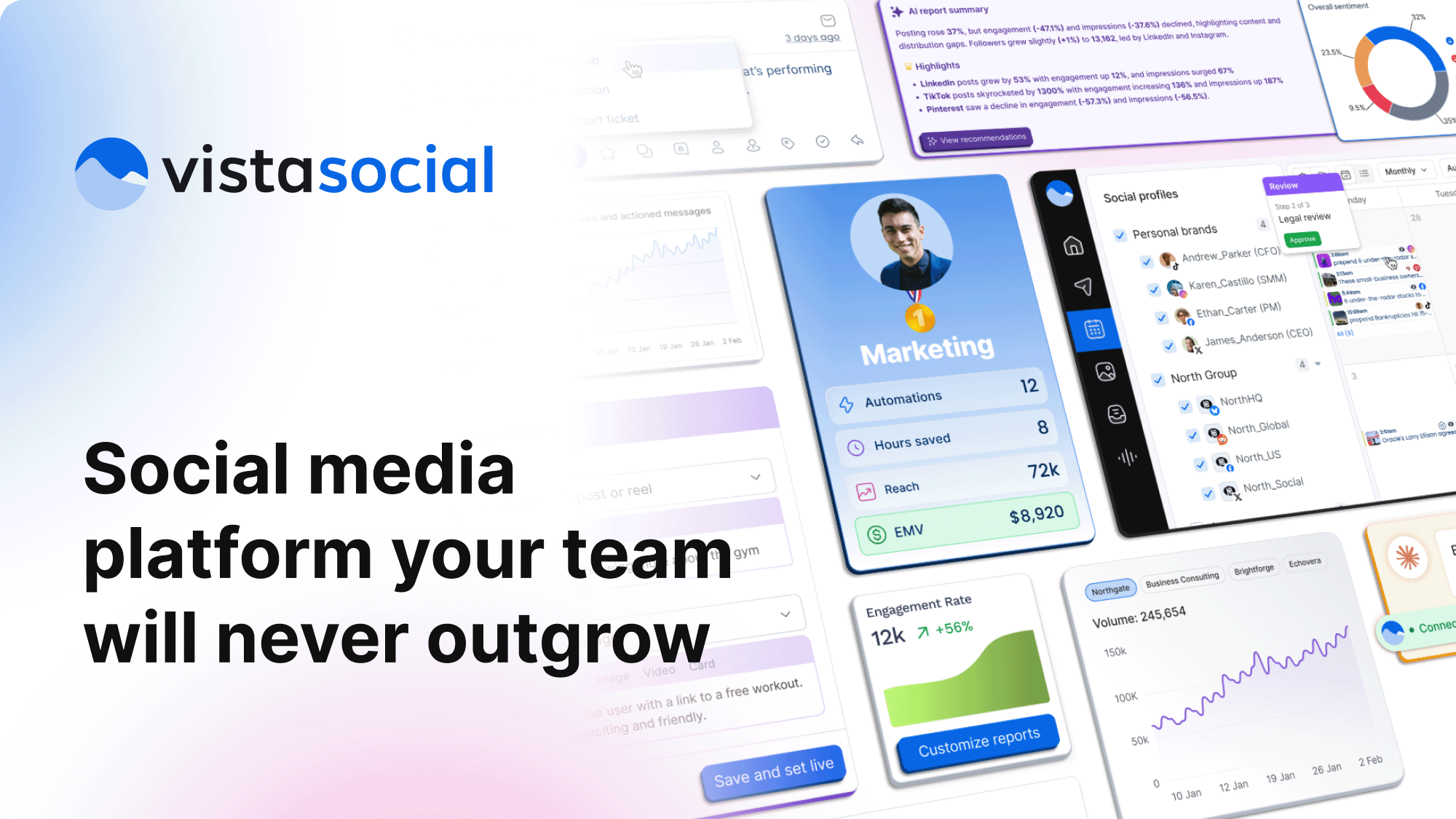
Vista Social from Vista Social LLC manages nine networks including Reddit, Snapchat and Threads. Beyond publishing and analytics it covers social listening, review management, DM automation, employee advocacy, AI Knowledge, a white-label option and a link-in-bio tool.
4.2Editor Score
vistasocial.com7 viewsAdded January 13, 202611K visitors
Social media management tools mostly do one thing: they schedule posts. That was the whole job for about a decade, and it stopped being the whole job some time ago.
What matters more now is everything happening around your posts. What people say when you are not looking, what they write in reviews, what a competitor is being asked, and whether your own staff are amplifying anything.
Vista Social's feature list reads as a response to that shift. Publishing is there and it is not the differentiator — listening, reviews and advocacy are, and those are the parts a scheduler cannot help with.
Vista Social: Nine Networks, One Console
- Nine networks, including Reddit, Snapchat and Threads alongside the obvious six — unusually broad coverage.
- Listening and review management sit alongside publishing, which is what separates this from a scheduler.
- Employee advocacy turns staff accounts into distribution, which is a genuinely different lever.
- White-label means an agency can run it under its own brand, with Vista Page as a link-in-bio tool.
- Operated by Vista Social LLC, with a Trust Center, GDPR page and an MCP integration listed.
Vista Social: Networks And Features
| Operating company | Vista Social LLC |
|---|---|
| Positioning | AI-powered command centre for social media |
| Networks | Facebook, Instagram, LinkedIn, Reddit, Snapchat, Threads, TikTok, X, YouTube |
| Publishing | Scheduling and publishing across all supported networks |
| Analytics | Cross-network analytics and reporting |
| Engagement | Engagement tools and direct message automations |
| Listening | Social listening across networks |
| Reviews | Review management |
| Advocacy | Employee advocacy |
| AI | AI Knowledge |
| Apps | Browser extensions plus mobile and desktop applications |
| White-label | Available as a white-label platform |
| Vista Page | Link-in-bio tool |
| MCP | Model Context Protocol integration listed |
| Footer sections | Tools, Integrations, Company, Resources, Legal including Privacy, Terms, Security, Trust Center, Usage Policy, Disclosure Policy and GDPR |
Why Do Reviews And Listening Belong In A Scheduler?
Vista Social covers social listening and review management alongside publishing, and the case for combining them is stronger than convenience.
The reason is that they are the same conversation. A complaint arrives as a tweet, a one-star review and a Facebook comment, frequently from the same customer, and a team using separate tools for each responds three times with three different answers or misses two of them.
Reviews are also where the commercial consequence actually lands. A prospective customer searching for your business sees ratings before they see anything you published, and an unanswered one-star review does more damage than a month of good posts does good.
Listening extends the same principle to the conversations you are not part of. Being mentioned without being tagged is the normal case rather than the exception, and a brand that only sees its notifications sees a fraction of what is being said.
The honest counterweight is that a dedicated listening platform goes considerably deeper — broader source coverage, better sentiment analysis, historical data. Vista Social's listening is enough to know what is being said about you and not enough to run competitive intelligence on an industry.
The contrast is with a tool that picked one network. Supergrow understands LinkedIn conventions in a way no nine-network console does, which is the standard trade in this category.
A complaint arrives as a tweet, a review and a comment — often from the same person. Three tools produce three answers, or two silences.
Employee Advocacy Is Harder Than It Looks
Employee advocacy — making it easy for staff to share company content from their own accounts — is one of the more interesting features here and one of the most commonly mishandled.
The logic is sound and the arithmetic is compelling. A company account has followers who chose to follow a company; a hundred employees have followers who are peers, customers and industry contacts, and reach through people consistently outperforms reach through brands.
The failure mode is equally consistent. Advocacy programmes that hand staff pre-written posts produce a feed where forty people say the identical thing on the same morning, which is visible, awkward, and actively damages the credibility it was meant to borrow.
What works is supplying the material and leaving the words alone. An employee who shares an article with their own sentence in front of it is making a recommendation; one who posts approved copy is making an advertisement everyone can identify.
It also has to be genuinely voluntary. Advocacy that becomes an expectation produces compliance rather than enthusiasm, and compliance reads exactly as it sounds — which is the opposite of the authenticity the whole idea depends on.
White-Label Is A Different Business Model
Vista Social offers a white-label platform, and that changes who the product is sold to as much as what it does.
For an agency, white-labelling means clients log into something branded as the agency's own. That matters because an agency's competitive position is its relationship with the client, and every third-party tool a client learns to use is a step toward the client managing it themselves.
It also changes the pricing conversation. An agency reselling a white-labelled platform is selling a capability rather than passing through a subscription, and the margin belongs to them rather than to the vendor.
For the vendor the logic mirrors it. One agency brings many clients, which is a considerably cheaper distribution model than acquiring each business individually — and it explains why the feature exists at all.
The dependency runs the same way it always does with white-label. The platform an agency's brand now sits on belongs to somebody else, so a price change, an outage or a shutdown becomes the agency's problem in front of its own clients. That is the standard cost of not building software yourself.
The same logic underlies every white-label product — a test-prep platform such as MentoMind makes an identical bet in a completely different industry.
- Connect review sources before publishing, since reviews are seen before your posts are.
- Route listening mentions to whoever answers, not to a dashboard nobody opens.
- Supply advocacy material and let employees write their own words.
- Keep advocacy voluntary — compliance reads exactly as it sounds.
- Export historical data before switching platforms, since scheduling history rarely migrates.
Nine Networks And Why The Unusual Ones Matter
Vista Social supports Facebook, Instagram, LinkedIn, Reddit, Snapchat, Threads, TikTok, X and YouTube — and the interesting entries are the three most tools skip.
Reddit is the most significant of them and the hardest to use well. It is where product research actually happens, where a candid recommendation carries more weight than any advertisement, and where a brand posting like a brand is punished immediately and visibly.
That makes scheduling into Reddit a slightly odd capability. The platform rewards participation rather than publication, and a company treating it as another distribution channel will be told so by the community faster than by any analytics dashboard.
Snapchat and Threads are more straightforward — genuine audiences that many management tools do not cover, which means teams either post manually or do not post at all.
The general principle worth applying is that network coverage should be judged against where your audience actually is rather than against the count. Nine networks is only better than six if three of the extra ones matter to you, and the answer is frequently that one does.
Consolidating Social Tools Without Losing Data
Consolidation projects fail on the migration rather than on the platform, and social tooling is worse than most because the history rarely moves.
Do the leaving before the arriving.
None of this produces the material. A clipping tool like quso.ai or a video suite such as Vmaker AI fills the calendar a console like this then manages.
- Export everything from your current tools first — scheduled posts, historical analytics, saved reports — because none of it will migrate automatically.
- Connect review sources before social accounts, since reviews are the part a prospective customer sees first.
- Set up listening with your brand name, common misspellings and your two main competitors, then route alerts to a person.
- Run both systems in parallel for one full reporting cycle so the numbers can be compared.
- Introduce employee advocacy last, voluntarily, with material rather than scripts.
- Compare reporting against your old platform before switching off, since metric definitions differ between tools more than anyone expects.
Key features of Vista Social
Publishing and scheduling across nine networks
Social listening beyond your own notifications
Review management alongside social channels
Direct message automations and engagement tools
Employee advocacy for distribution through staff accounts
AI Knowledge and an MCP integration
White-label platform for agencies
Vista Page link-in-bio tool, plus browser, mobile and desktop apps
Pros & cons
Pros
7- Listening and reviews put the whole conversation in one place rather than three
- Reviews are what a prospective customer sees before any post you published
- Nine networks including Reddit, Snapchat and Threads, which most tools skip
- Employee advocacy is a genuinely different distribution lever from brand posting
- White-label makes it viable as an agency platform rather than only a tool
- A complete legal footer including a Trust Center, Usage Policy and GDPR page
- A named operating company in Vista Social LLC
Cons
6- Listening is shallower than a dedicated listening platform on sources and sentiment
- Breadth across nine networks costs depth against single-network specialists
- Which review platforms are supported is not stated
- Pricing, model disclosure and analytics history depth are unpublished
- Employee advocacy damages credibility if run with scripted posts
- Historical data rarely migrates between social tools, making switching costly
Best For
- Businesses where online reviews affect revenue directly
- Brands being discussed without being tagged
- Teams with audiences on Reddit, Snapchat or Threads
- Agencies wanting a platform under their own brand
- Organisations answering the same complaint across several tools
Vista Social Against Other Social Platforms
Social tools divide by whether they only publish, or also watch what happens around what you publish.
| Tool | Scope | Networks | Best for |
|---|---|---|---|
| Vista Social | Publishing, listening, reviews, advocacy | Nine including Reddit, Snapchat, Threads | Businesses where reviews and mentions matter |
| quso.ai | Clipping plus scheduling | Six | Turning long video into scheduled posts |
| Supergrow | LinkedIn content specifically | One | Depth on a single network |
| Bardeen | Browser automation | Not applicable | Automating what you do around social tools |
| PitchBud | Press outreach | Not applicable | Earned coverage rather than owned channels |
Is Vista Social Your Command Centre?
Consolidate here when
- Reviews affect your business and are currently managed in a separate tool or not at all.
- You are being talked about without being tagged and cannot see it.
- Your audience includes Reddit, Snapchat or Threads, which many tools skip.
- You are an agency wanting a platform clients log into under your brand.
- Your team answers the same complaint three times across three tools.
Stay with your scheduler when
- You only publish and have no listening or review requirement.
- You need deep competitive intelligence, where a specialist listening platform goes further.
- Your presence is one network, where a specialist tool goes deeper.
- You would run employee advocacy with scripted posts, which damages credibility.
- You cannot export your existing history, which will not migrate on its own.
Other Social Media Tools
Owned channels, earned coverage and the video that fills both are three different purchases.
- quso.ai — when the bottleneck is producing the clips rather than scheduling them
- Supergrow — depth on LinkedIn rather than breadth across nine networks
- PitchBud — earned coverage, which owned channels cannot substitute for
- Bardeen — automating the browser work around social tooling
- Vmaker AI — producing the video these channels need
Vista Social: Checking The Network List
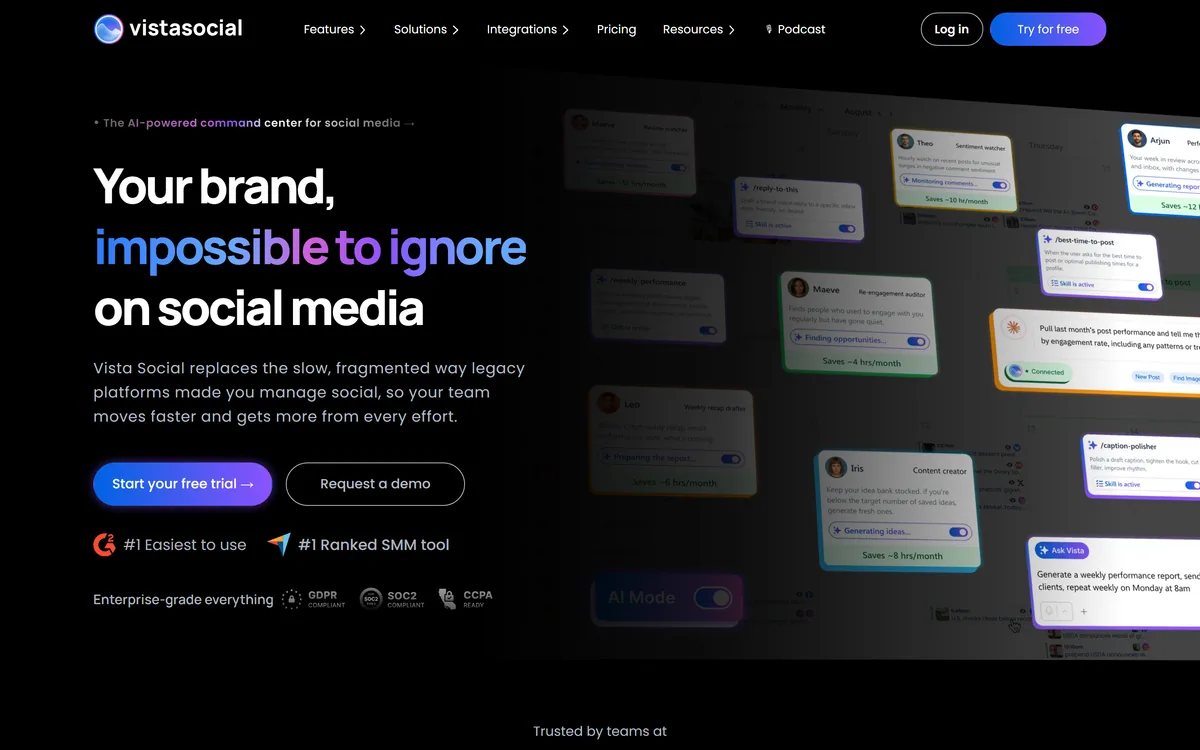
Last checked . Read from vistasocial.com and its footer navigation, with the screenshot above captured in the same session.
- Operating company confirmed as Vista Social LLC
- Positioned as an AI-powered command centre for social media
- Networks confirmed as Facebook, Instagram, LinkedIn, Reddit, Snapchat, Threads, TikTok, X and YouTube
- Publishing and scheduling confirmed
- Analytics confirmed
- Engagement tools and direct message automations confirmed
- Social listening confirmed
- Review management confirmed
- Employee advocacy confirmed
- AI Knowledge confirmed as a named feature
- Browser extensions plus mobile and desktop applications confirmed
- A white-label platform confirmed as available
- Vista Page confirmed as a link-in-bio tool
- MCP integration listed on the site
- Footer confirmed with Tools, Integrations, Company and Resources sections, plus Privacy, Terms, Security, Trust Center, Usage Policy, Disclosure Policy and GDPR pages
What we could not confirm: pricing and plan structure; which underlying models power AI Knowledge; what sources social listening covers beyond the connected networks; which review platforms are supported for review management; the company's location; how far back historical analytics reach; and what the white-label option includes or excludes. We did not use the product, so nothing here reflects tested performance.
Editor's Verdict
4.2/5Vista Social's argument is that social media management stopped being about publishing some time ago, and the feature set follows that honestly. Listening, review management and employee advocacy are the three things a scheduler leaves out and a business actually needs, because what people say about you matters more than what you say about yourself. Nine networks including Reddit, Snapchat and Threads is unusually broad coverage. The white-label option makes it a viable agency platform rather than only a tool. It scores strongly with the usual caveat: breadth means depth is thinner than a specialist at any single job. AInexfinder Editor Score: 4.2/5.
Vista Social pricing
AInexfinder does not list plan prices or billing details. For current pricing, plans, and trials, visit the official Vista Social website.
Visit official website for pricingVendor pricing, credits, and billing policies change over time. Always confirm on the official site before you buy.
Frequently asked questions
What is Vista Social?
Vista Social is a social media management platform from Vista Social LLC covering nine networks — Facebook, Instagram, LinkedIn, Reddit, Snapchat, Threads, TikTok, X and YouTube. Beyond publishing and analytics it includes social listening, review management, DM automation, employee advocacy, AI Knowledge, a white-label option and Vista Page.
Why do reviews belong in a social tool?
Because they are the same conversation. A complaint arrives as a tweet, a review and a comment, frequently from one customer, and separate tools produce three different answers or two silences. Reviews are also where the commercial consequence lands: a prospective customer sees your rating before anything you published.
How good is the social listening?
Enough to know what is being said about you, and not enough to run competitive intelligence on an industry. A dedicated listening platform covers more sources, does better sentiment analysis and holds more history. The value here is that mentions land in the same place as everything else rather than in a tool nobody opens.
Does employee advocacy actually work?
The arithmetic is compelling — reach through people consistently beats reach through brands. The execution is where it fails. Handing staff pre-written posts produces forty people saying the identical thing on the same morning, which is visible and damages the credibility it was borrowing. Supply the material; leave the words alone.
Why does Reddit support matter?
Because Reddit is where product research actually happens and where a candid recommendation outweighs any advertisement. It is also the hardest of the nine to use well: the platform rewards participation rather than publication, and a brand treating it as a distribution channel gets told so by the community immediately.
What does white-label give an agency?
Clients log into something branded as the agency's own, which matters because every third-party tool a client learns to use is a step toward managing it themselves. It also changes the pricing conversation — an agency reselling a white-labelled platform sells a capability rather than passing through a subscription.
Is nine networks better than six?
Only if three of the extra ones matter to you, and the honest answer is usually that one does. Judge coverage against where your audience actually is rather than against the count. For most businesses the deciding factor is whether Reddit, Snapchat or Threads is a place they genuinely need to be.
What should I do before switching platforms?
Export everything from your current tools first — scheduled posts, historical analytics, saved reports — because none of it migrates automatically and social history is what you lose. Then run both systems in parallel for one reporting cycle, since metric definitions differ between tools more than anyone expects.
What is AI Knowledge?
A named AI feature on the platform, though the site does not describe what powers it or exactly what it does. Given the surrounding features, the plausible role is drawing on your brand's own material to inform responses and content — but that is inference, and worth confirming rather than assuming.
How does this compare to a single-network tool?
Breadth against depth, as always. A LinkedIn-specific tool understands that platform's conventions and analytics far better than any nine-network console. Vista Social's case is that your problem is coordination across networks and channels, not depth on one — and if it is depth you need, the specialist wins.
Reviews
Log in to write a review.
User Reviews
No reviews yet. Be the first to share your experience with Vista Social.
Reviewed by Daniel Reed
Assigned reviewer
Daniel ReedSenior AI Tools Reviewer
Daniel reviews AI tools the slow way — by actually using them on real projects. His reviews cover what works, what breaks, and who each tool is genuinely a good fit for.
Hands-on reviewsProduct testingAI software
Daniel and the AInexfinder editorial team research Vista Social using public product information, listing evidence, and (when available) hands-on checks. Scores reflect listing completeness and transparency — not paid placement.
- Last verified
- Methodology
- How we review AI tools
- Sources used
- vistasocial.com
- AInexfinder listing fields (features, pros/cons, description)
- Public vendor pages when available
- Editorial policy
- Listings may include affiliate or sponsored placements, which are labeled when present. Editorial scores and cons are not sold. See our affiliate disclosure and review methodology.
Related tools
Talkwalker has become Lumen by Talkwalker, a social listening, media monitoring and benchmarking platform serving a stated 2,500-plus organisations, with published customer outcomes in sentiment management, crisis prevention and product development.

Listomize is an Etsy SEO platform that generates titles, tags, and descriptions within Etsy's own limits, scores listings, optimises 100+ listings from a CSV, tracks competitors and trends, and auto-generates Pinterest pins.
FreemiumBusiness & Marketing

Lahjty (لهجتي) is an Arabic-first marketing platform for MENA campaigns. From one brief it produces dialect-aware ad copy, headlines, campaign images with Arabic text rendered in, dialect-aware voice, and SEO articles grounded in your own brand sources — with a Partner API and an MCP server for teams that want it inside their own workflow.
FreemiumBusiness & Marketing

MaxAEO is an answer engine optimisation platform from HIII PTE. LTD. It tracks how ChatGPT, Gemini, Claude, Perplexity, Copilot, Grok and Google's AI surfaces mention a brand, with sentiment, competitor benchmarking and citation tracing.
Mailjet is a Sinch-owned email platform handling both marketing campaigns and transactional sending from one account. It offers a collaborative drag-and-drop editor, an email API with SMTP relay, AI generation and segmentation, and EU-based data centres.
FreemiumBusiness & Marketing
Compare:Vista Social vs InfluencerMarketing.aiVista Social vs Lumen by TalkwalkerVista Social vs ListomizeVista Social vs Lahjty
Vista Social alternatives Explore More
Embed this listing on your site
Featured on AInexfinder