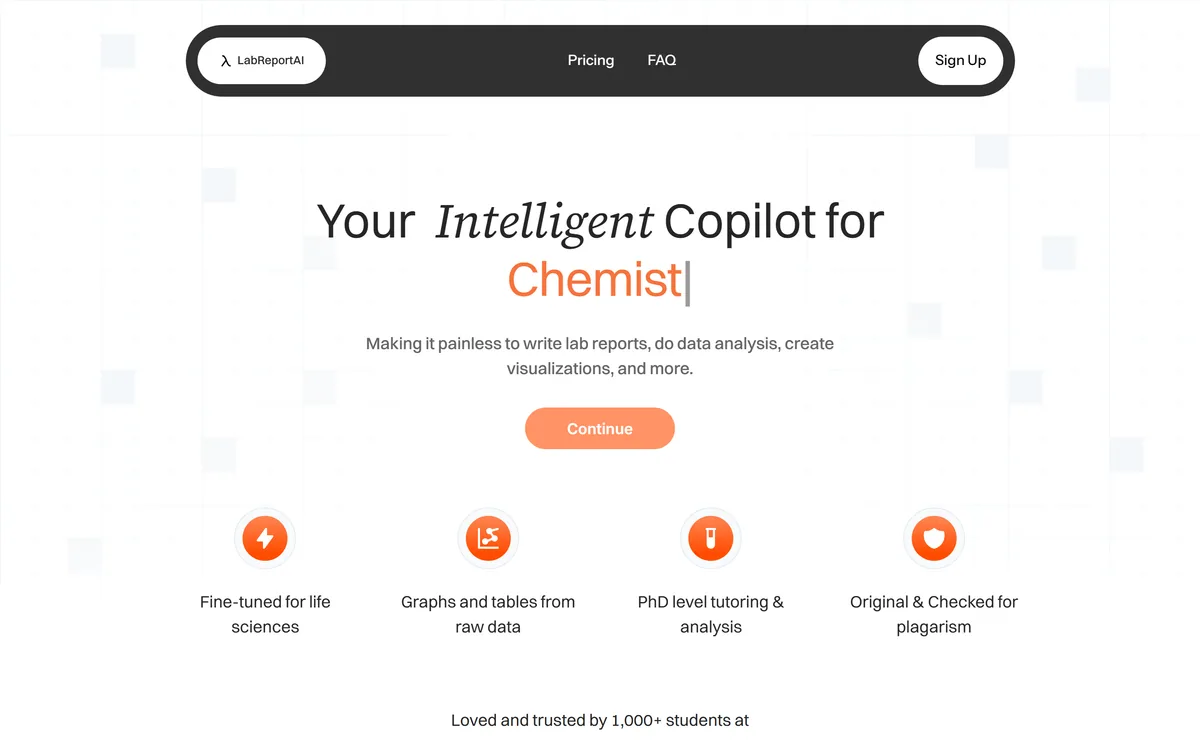
LabReportAI helps students write lab reports, analyse data and produce graphs and tables from raw results. It is described as fine-tuned for life sciences with PhD-level tutoring and analysis, states original work checked for plagiarism, and reports 1,000+ student users.
labreportai.com8 viewsAdded September 28, 20251K visitors
A lab report is not really a writing exercise. It is an assessment of whether you understood what you did — why the method was chosen, what the data shows, where the error came from, and what it means.
That is why it is worth doing and why it takes so long. It is also why the formatting, the axis labels and the citation style consume hours that teach nothing at all.
LabReportAI sits directly on that split, and how you use it decides whether it saves you the pointless part or replaces the part that was the point.
LabReportAI's homepage, captured 9 September 2026, showing the lab report and data analysis positioning.
Where Is The Line On Academic AI Use?
LabReportAI positions itself as an intelligent copilot for lab reports, data analysis and visualisation, and the word copilot is doing a great deal of work.
The distinction that matters is not between using AI and not using it. It is between AI doing work that was never being assessed and AI doing the work that was.
Nobody is grading your ability to format a citation, choose axis limits, or remember whether the methods section takes past tense. That is administrative overhead attached to an academic exercise, and automating it takes nothing away from the learning.
What is being assessed is your interpretation — whether you can look at your own results, say what they show, and explain why they differ from what was expected. That is the entire pedagogical point of the exercise.
So the honest framing is that this tool sits astride the line and you decide which side you use it on. The same is true of study tools generally, from Coconote to Turbo AI, but a lab report is graded coursework, which raises the stakes considerably.
Nobody is grading your ability to format a citation. They are grading whether you can say what your own results mean.
Plagiarism Checking Is Not Originality
The site states that output is original and checked for plagiarism, and its FAQ asks directly whether reports will be flagged for plagiarism.
Both statements are about detection, and detection is a different question from integrity — a distinction worth being precise about because institutions increasingly are.
Plagiarism detection compares text against existing sources. Generated text is genuinely novel by that measure, so passing a similarity check is close to automatic and says nothing about whether the work is yours.
Most academic integrity policies now address AI use separately and explicitly, and being undetectable by a similarity tool is not a defence against a policy that prohibits generated submissions.
The practical guidance is unglamorous: read your institution's actual policy on AI in coursework before using any tool like this. Policies vary enormously between universities and even between departments, and the assumption that undetected means permitted is the specific mistake that ends badly.
Graphs And Tables From Raw Data
LabReportAI lists data cleaning, charts and graphs, and advanced analysis alongside the write-up, and states 4,908+ graphs created.
This is the strongest part of the product and the part with the least ethical ambiguity attached.
Producing a correct scientific figure is fiddly work with rules that are conventional rather than conceptual: error bars representing the right thing, axes starting where they should, units labelled, a caption that stands alone. None of that demonstrates understanding, and all of it takes time.
Data cleaning is similar. Handling a mistyped reading, a missing replicate or an obviously failed run is procedural, and doing it consistently is more reliable than doing it by hand at midnight.
The caution is that automated analysis can apply a statistical test that is wrong for your design. A tool will happily run a comparison the data does not support, and that error is invisible in a well-formatted output — so the test choice is the one thing to verify yourself, every time.
Read your institution's AI policy before using any tool on graded work.
Use it for formatting, cleaning and figures, not for interpretation.
Verify which statistical test was applied — a wrong one looks fine in a good graph.
Write the discussion yourself; it is the part being assessed.
Keep your raw data and workings, since you may be asked to explain them.
What Fine-Tuned For Life Sciences Means
The site states the tool is fine-tuned for life sciences and offers PhD-level tutoring and analysis.
Domain specificity is a genuine advantage in this context, and it is worth understanding why rather than treating it as marketing.
Lab report conventions differ by discipline in ways a general assistant gets subtly wrong: what belongs in methods versus results, how uncertainty is expressed, whether the passive voice is expected, how sources are cited in that field.
A general model produces something that reads like a lab report and violates several conventions of the specific discipline, which a marker notices immediately even if they cannot articulate why.
PhD-level tutoring is the vaguer claim, and the useful reading is that the model has more domain context rather than that it has credentials. Treat explanations as a starting point to check against your course material — the same posture that applies to any AI explanation of technical content.
For the reading half of scientific work rather than the writing half, the tooling is different again. Research workbenches such as Khoj focus on citations you can verify, which is the property that matters when you are consuming literature rather than producing a submission.
What The Numbers On The Page Say
The site displays 908+ reports edited, 4,908+ graphs created, 20+ configuration options, and 1,000+ students at named institutions.
These are modest figures presented specifically, which is more credible than a vague large claim, and the shape of them is informative.
Roughly five graphs per report edited suggests the graphing function is used far more heavily than the writing function — which is exactly the split you would hope for, and mildly reassuring about how it is actually being used.
A thousand students is a small user base, which is neither good nor bad on its own. It suggests a young product rather than an established one, with the ordinary implications for support and continuity.
Twenty-plus configuration options matters more than it sounds, because lab report requirements vary by institution and even by module. A tool that cannot match your department's expected structure produces work you have to reformat anyway, which is the saving reversed.
Using LabReportAI Without Crossing A Line
The failure here is not subtle. A student who submits a generated report and cannot explain their own results in a viva has a problem no tool can solve.
This sequence keeps the assessed work where it belongs and automates the overhead around it.
Read your institution's AI policy for coursework before anything else.
Clean and plot your data first, which is the least contested use.
Check the statistical test against your experimental design yourself.
Write the discussion and conclusion in your own words, unaided.
Use the tool for citation formatting and structure, not for the argument.
Keep raw data and your working, so you can explain any figure you submit.
LabReportAI: Lab Write-Ups And Data Work
Fine-tuned for life sciences rather than a general writing assistant pointed at a lab report.
Graphs and tables from raw data, which is the genuinely defensible half of the product.
Data cleaning, advanced analysis and citations listed alongside the write-up.
1,000+ students claimed, with 908+ reports edited and 4,908+ graphs created displayed.
Twenty-plus configuration options, with the site's own FAQ addressing plagiarism flagging and school-specific formats.
LabReportAI: Features And Contact
Product type
AI lab report and data analysis assistant
Positioning
Your intelligent copilot for writing lab reports and analysing data
Domain
Fine-tuned for life sciences, per the site
Data work
Data cleaning, charts and graphs, advanced analysis
Writing
Full lab write-up, with citations
Tutoring
PhD-level tutoring and analysis stated
Originality
Stated as original and checked for plagiarism
Configuration
20+ configuration options
Usage figures
908+ reports edited, 4,908+ graphs created
Users
1,000+ students at named institutions
Support
Customer support and a money-back guarantee stated on all plans
Contact
help@labreportai.com
Should A Student Use LabReportAI?
Use it for the tedious parts when
Your institution's policy permits AI assistance and you have read it.
You are spending hours on figure formatting rather than on understanding.
Data cleaning across many replicates is consuming your evening.
Citation formatting for your department's style is the bottleneck.
You will write the interpretation yourself regardless.
Write it yourself entirely when
Your institution prohibits generated content in coursework.
The report is a significant assessment of your understanding.
You could not explain the results if asked in person.
You would submit the discussion section as generated.
You are relying on plagiarism checks as evidence the work is acceptable.
Key features of LabReportAI
Full lab report generation
Data cleaning from raw results
Charts and graphs from experimental data
Advanced statistical analysis
Citation generation and formatting
20+ configuration options for report format
A demo write-up on the free tier
Unlimited generations on both plans
Pros & cons
Pros
7
Figure formatting and data cleaning are genuinely tedious and teach nothing
Domain-specific tuning avoids the convention errors general assistants make
Configuration options matter because lab report requirements vary by department
Usage figures published specifically rather than vaguely
The graph-to-report ratio suggests the defensible half is used most
A published support contact and money-back guarantee
Its own FAQ raises the plagiarism question rather than avoiding it
Cons
7
The full write-up sits on the wrong side of most academic integrity policies
Passing a plagiarism check says nothing about whether generated work is permitted
Automated analysis can apply a statistical test your design does not support
A wrong test is invisible inside a correctly formatted graph
No operating company named in the footer
What fine-tuned means technically, and which model is used, is unstated
Retention and training use of uploaded experimental data are not described
Best For
Students whose institution permits AI assistance and who have read the policy
Anyone losing hours to figure formatting rather than to understanding
Lab work with many replicates needing consistent cleaning
Students who will write the interpretation themselves regardless
Courses with strict, fiddly formatting requirements
LabReportAI Against Other Academic Tools
Study tools differ by whether they explain material, help you retain it, or produce submitted work.
What we could not confirm: the operating company, which the footer names only as the product; what fine-tuned for life sciences means technically or which model underlies it; the basis for the PhD-level tutoring description; how uploaded experimental data is retained and whether it is used for training; the answers to the site's own FAQ questions, which we saw listed but did not expand; and which disciplines beyond life sciences are covered. Nothing here is guidance on your institution's rules — read your own policy.
More Study And Research Tools
Adjacent products for learning material rather than producing submitted work.
NoteGPT — summarising source material you have to read
Coddy — practising a skill rather than producing a document
Khoj — reading papers with citations you can verify
Editor's Verdict
3.4/5
This is a tool whose usefulness and whose risk come from exactly the same feature. The genuinely defensible parts are real: cleaning data, producing correctly formatted graphs and tables, and handling the citation formatting that consumes hours and teaches nothing. The full write-up is a different matter, because a lab report is an assessment of whether you understood your own experiment, and outsourcing it does not produce a shortcut — it produces a submission that is not yours. The site's own FAQ raises plagiarism flagging, which is a detection question rather than an integrity one, and those are not the same thing. AInexfinder Editor Score: 3.4/5.
LabReportAI pricing
AInexfinder does not list plan prices or billing details. For current pricing, plans, and trials, visit the official LabReportAI website.
Vendor pricing, credits, and billing policies change over time. Always confirm on the official site before you buy.
Frequently asked questions
What is LabReportAI?
LabReportAI is an AI assistant for lab reports, described as fine-tuned for life sciences. It cleans raw data, produces graphs and tables, runs analysis, generates citations and can produce a full write-up. It states 1,000+ student users and 4,908+ graphs created.
Where is the line on academic AI use?
Not between using AI and not using it, but between work that was never being assessed and work that was. Nobody grades your citation formatting or axis limits. They grade whether you can look at your own results and say what they show.
Does passing a plagiarism check make it acceptable?
No, and this is the most important distinction. Plagiarism detection compares text against existing sources, so generated text passes almost automatically. Most institutions now address AI use separately, and being undetectable is not a defence against a policy that prohibits generated submissions.
What should I check before using it?
Your own institution's policy on AI in coursework. Policies vary enormously between universities and even between departments, and the assumption that undetected means permitted is the specific mistake that ends badly.
Which parts are safest to use?
Data cleaning, figure production and citation formatting. Producing a correct scientific figure is fiddly, conventional work — error bars representing the right thing, axes starting where they should, standalone captions — that demonstrates nothing and takes hours.
What is the risk with automated analysis?
It can apply a statistical test your experimental design does not support, and that error is invisible inside a well-formatted graph. Verifying which test was used against your design is the one check to do yourself, every time.
Does fine-tuned for life sciences matter?
Yes, more than it sounds. Lab report conventions differ by discipline in ways general assistants get subtly wrong — what belongs in methods versus results, how uncertainty is expressed, citation style. A marker notices immediately even without articulating why.
What does PhD-level tutoring mean?
Read it as more domain context rather than as credentials. Treat explanations as a starting point to check against your course material, since a confident explanation of a concept you are being assessed on is exactly where an error costs the most.
What do the usage numbers tell you?
Roughly five graphs per report edited, which suggests the graphing function is used far more heavily than the writing function. That is the split you would hope for and is mildly reassuring about how it is actually being used.
What should I never outsource?
The discussion and conclusion. Interpreting your own results — what they show, why they differ from expectation, what the error sources were — is the entire pedagogical point, and a student who cannot explain their own report has a problem no tool solves.
Daniel reviews AI tools the slow way — by actually using them on real projects. His reviews cover what works, what breaks, and who each tool is genuinely a good fit for.
Daniel and the AInexfinder editorial team research LabReportAI using public product information, listing evidence, and (when available) hands-on checks. Scores reflect listing completeness and transparency — not paid placement.
Listings may include affiliate or sponsored placements, which are labeled when present. Editorial scores and cons are not sold. See our affiliate disclosure and review methodology.
ESAI helps students find what actually distinguishes them — their patterns, values and formative moments — and shape it for college applications, internships and first jobs. Brandi, a voice agent, talks it out with them, and the platform was designed by former college advisors and admissions officers.
Litero is an AI writing assistant pitched as an ethical, source-based partner: a citation tool over 100M+ sources, outline builder, autosuggest, plagiarism checker and AI detector, alongside a humanizer whose presence sits awkwardly with its integrity framing.
EssayGrader is an AI essay-grading tool for teachers that scores writing against your own rubric and state standards, drafts revision-focused feedback, and imports whole classes from Google Classroom, Canvas or Schoology, with a published accuracy benchmark against teacher scores.
LUCA is a K-12 reading intervention platform that analyses student reading at the phoneme level rather than the word level, identifying skill gaps in real time. It reports a 17.4 words-per-minute average fluency gain and 763,000+ grapheme-phoneme mappings, delivered through SoundScout, StoryGen and Assessment Intelligence.
RemNote combines outlining, handwriting, PDF annotation and spaced-repetition flashcards in one document, generating cards, quizzes and summaries from PDFs, slides, lecture transcripts and video, with an exam scheduler that works backwards from a date you set.