Language Reactor is a browser extension and toolbox that turns Netflix, YouTube, podcasts, books and webpages into language lessons. It offers bilingual subtitles, precise playback control, a click-to-translate dictionary with Lexa AI explanations, and PhrasePump vocabulary training across 40+ languages.
languagereactor.com5 viewsAdded March 1, 202620K visitors
The hard part of learning a language is not the grammar. It is the years of exposure that no textbook chapter compresses, and the fact that most learners quit long before accumulating them.
People quit because study is a chore and content is not. Nobody has ever had to force themselves to watch another episode, and everybody has skipped a vocabulary session.
Language Reactor's premise is that the material you would watch anyway can carry the exposure, if the right tools sit on top of it.
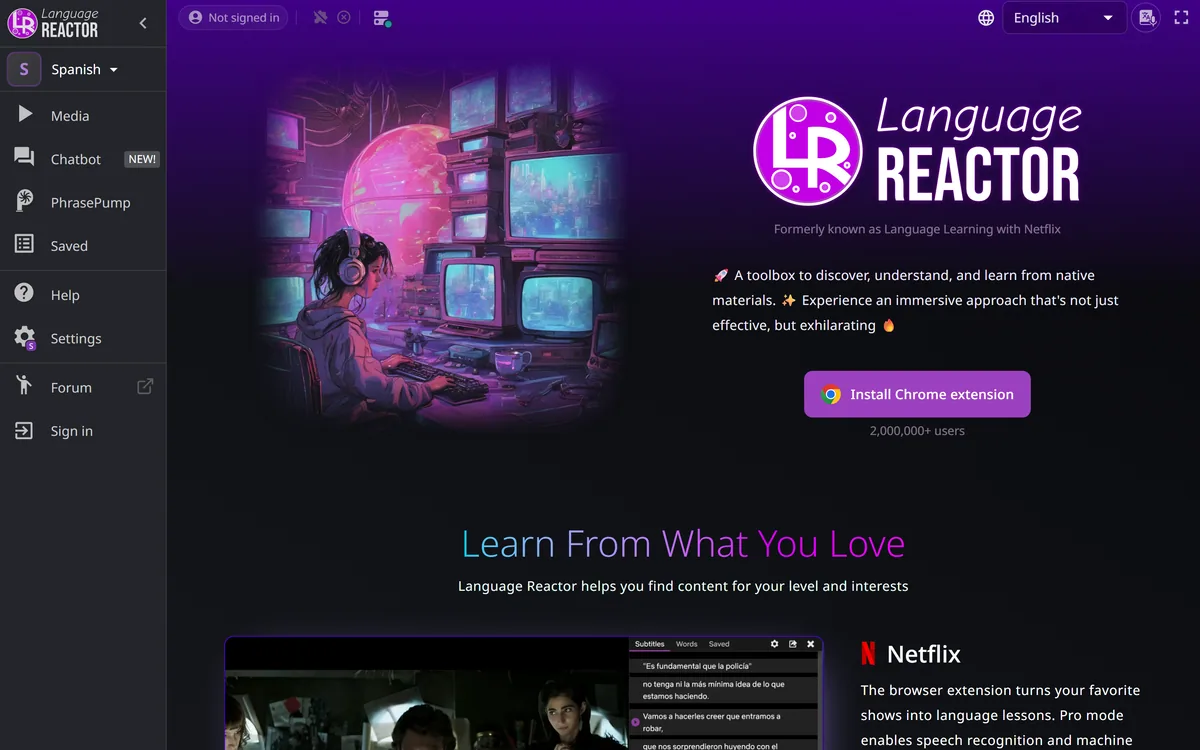
Language Reactor's homepage, captured 9 September 2026, showing the immersion toolbox positioning.
Language Reactor: Netflix As A Language Lab
Formerly Language Learning with Netflix, now covering YouTube, podcasts, books and any webpage.
Bilingual subtitles that let you tune your ear to natural speech while seeing how meanings map between languages.
Auto-pause after each subtitle, plus speed control and keyboard navigation — the controls that make immersion practical.
Smart highlighting recognises plurals and conjugations, so saving a word once surfaces it in every form.
2,000,000+ users and 40+ languages, with transliteration for non-Latin writing systems.
Does Watching Television Teach A Language?
Language Reactor describes itself as a toolbox to discover, understand and learn from native materials, with an immersive approach that is effective and exhilarating.
The underlying claim rests on comprehensible input: you acquire a language by understanding messages in it, at a level slightly beyond what you already know, in large quantities.
Watching without support fails that test. A show at native speed with no scaffolding is not comprehensible input, it is noise, and hours of it produce very little — which is why people who watch foreign films for years do not pick up the language.
What the tooling adds is exactly the scaffolding that converts noise into input. Subtitles in both languages, the ability to stop after every line, and a dictionary one click away move the material into the range where understanding is possible.
The honest caveat is that comprehension is not production. This builds listening and vocabulary very effectively, and it does not make you speak — speaking requires speaking, which is why conversation practice tools exist as a separate category.
A show at native speed with no scaffolding is not comprehensible input. It is noise, and hours of it produce very little.
Bilingual Subtitles And Playback Control
The core features are bilingual subtitles showing both languages, precise playback controls, speed adjustment, keyboard shortcuts and auto-pause after each subtitle until you continue.
Bilingual subtitles do something a translation alone cannot. Seeing both lines shows you how meaning maps across the two languages — where the structures diverge, what has no direct equivalent, how idiom works.
There is a well-known risk, which is that your eye goes to the language you already know and you stop listening. The site addresses it directly with a hover-to-reveal mode, keeping the translation available and out of the way.
Auto-pause is the feature that changes behaviour most. Without it, watching means constant manual pausing, which is enough friction that people give up and watch passively instead.
Speed control matters more for intermediate learners than beginners. Native speed with reduced tempo is comprehensible where full speed is not, and stepping the speed up over weeks is a measurable progression you can feel.
PhrasePump, Lexa AI And Vocabulary
Beyond watching, the toolbox includes a dictionary with instant translations and authentic example sentences with audio, Lexa AI for contextual explanations, smart highlighting, a what-to-learn suggestion system, and PhrasePump.
Smart highlighting is the most quietly useful of these. Saving a word once means recognising it in every form — plurals, conjugations, related derivations — which matters enormously in inflected languages where one dictionary entry appears as a dozen surface forms.
The what-to-learn suggestion addresses the real problem with vocabulary: not memorising words but choosing which ones. Word frequency is extremely skewed, so a few hundred words cover most of ordinary speech, and learning them in the wrong order wastes months.
Lexa AI's contextual explanations sit between a dictionary and a teacher. A dictionary tells you what a word means; the useful question is usually why it was used here rather than the alternative, which is what an explanation can answer.
The combination turns watching into study without turning it into homework. That is the balance these tools have to strike, and it is the same one that decides whether note-taking products such as NoteGPT get used after the first week.
Pick content slightly above your level, not far above it.
Use hover-to-reveal so your eye does not default to the language you know.
Turn on auto-pause; manual pausing is enough friction to end the habit.
Save words in context rather than from a list — the sentence is what makes it stick.
Add speaking practice separately, since comprehension does not produce it.
Beyond Netflix: YouTube, Books And Webpages
The product has expanded well beyond its origin, covering YouTube and podcasts, imported webpages, uploaded books, and text-to-speech to listen along.
The expansion matters because Netflix's catalogue is a narrow slice of a language. It is dramatic, scripted, and heavy on the registers of crime and romance, which is not how anyone talks at work.
YouTube fixes that specific gap. Thousands of channels on any subject means you can learn the vocabulary of your actual interests, which is both more motivating and more useful than learning the vocabulary of television drama.
Importing webpages and books extends the same idea to reading, where you control the pace entirely and can dwell on a sentence for as long as it takes.
The strategic point is that a language is not one register. Podcasts give you conversational speech, news gives you formal speech, drama gives you emotional speech, and a learner who only ever consumes one sounds odd in the others.
Text-to-speech on imported material extends this to anything written, which matters for learners whose target language has limited video available. It is the mirror image of narration tools like Narakeet — the same synthesis technology pointed at comprehension rather than production.
What A Toolbox Is Not
Language Reactor calls itself a toolbox rather than a course, and that self-description is accurate and worth taking seriously.
There is no curriculum. Nothing decides what you should learn this week, tracks whether you have met a goal, or tells you that you have skipped the past tense entirely.
There is no correction. Comprehension tools show you what native speakers said; they cannot tell you that what you produced was wrong, which is what a teacher or a conversation partner does.
There is no speaking. The site mentions speech recognition in Pro mode, which supports pronunciation, but recognising your speech and having a conversation are different things.
The realistic arrangement is this alongside something structured. Immersion tools supply the volume that courses cannot, courses supply the structure immersion lacks, and the two together work better than either alone — the same complementarity that makes Coddy useful next to real projects.
Learning A Language With Real Content
The way immersion tools fail is by being installed enthusiastically and used for four days, usually because the first show was far too hard.
This sequence sets the difficulty and the habit before anything else.
Choose content slightly above your level — comprehensible means mostly understood.
Set subtitles to hover-reveal, so you listen before you read the translation.
Enable auto-pause after each subtitle and accept that episodes take longer.
Save unfamiliar words in context, letting smart highlighting surface them later.
Move to YouTube on subjects you care about once drama becomes comfortable.
Add conversation practice separately, since comprehension will not produce speech.
Immersion Learning Terms
The vocabulary of immersion-based learning, and what each term actually describes.
undefined
undefined
undefined
undefined
undefined
undefined
Key features of Language Reactor
Bilingual subtitles on Netflix and YouTube
Auto-pause after each subtitle
Playback speed control and keyboard navigation
Click-to-translate dictionary with audio examples
Lexa AI contextual explanations
Smart highlighting across inflected word forms
PhrasePump vocabulary training
Webpage and book import with text-to-speech
Pros & cons
Pros
7
Built on comprehensible input, which is the least contested idea in language acquisition
Converts content people already consume into study without adding a chore
Auto-pause removes the friction that ends most immersion habits
Hover-to-reveal addresses the real risk of reading instead of listening
Smart highlighting across word forms matters enormously in inflected languages
What-to-learn suggestions solve the choosing problem, not just the memorising one
Expansion beyond Netflix covers the registers drama does not
Cons
7
Builds comprehension, not production — it will not make you speak
No curriculum, so nothing tells you what you have skipped
No correction of what you produce, which is what a teacher provides
Unsuitable for complete beginners with no grammar at all
Which languages have full feature support is unstated
No operating company named on the site
Extension data access and retention are not described
Best For
Intermediate learners who need volume rather than more grammar
Anyone already watching content in their target language and gaining little
Learners whose bottleneck is vocabulary retention
People learning a language for a specific subject or profession
Students of languages with non-Latin scripts needing transliteration
Language Reactor Against Other Language Tools
Learning tools differ by whether they supply structure, volume, or practice.
40+ supported, with transliteration for other writing systems
Sources
Netflix, YouTube, podcasts, imported webpages and uploaded books
Subtitles
Bilingual, with hover-to-reveal
Playback
Speed control, keyboard shortcuts, gestures, auto-pause after each subtitle
Dictionary
Click any word for instant translation, with example sentences and audio
Lexa AI
Contextual explanations of how words are used
Vocabulary
Smart highlighting across word forms, plus a what-to-learn suggestion system
PhrasePump
A vocabulary and phrase training feature
Pro mode
Adds speech recognition and machine translation, per the site
Delivery
A Chrome extension plus a web app
Is Language Reactor Right For Your Level?
Add the extension when
You have basic grammar and need volume of real language.
You already watch content in your target language and get little from it.
Vocabulary retention is your bottleneck rather than rules.
You want to learn the language of subjects you actually care about.
You are working with a non-Latin script and need transliteration.
Use a structured course when
You are a complete beginner with no grammar at all.
You need a syllabus that tells you what to study this week.
Speaking is your priority, which comprehension tools do not build.
You need corrections on what you produce rather than exposure to what natives say.
You are preparing for an exam with a defined specification.
Language Reactor: Checked Against The Extension Page
Last checked . Read from languagereactor.com in a browser session on the date above, with the screenshot captured alongside.
Stated as formerly known as Language Learning with Netflix
Described as a toolbox to discover, understand and learn from native materials
2,000,000+ users displayed alongside the Chrome extension install prompt
Netflix, YouTube, podcasts, imported webpages and uploaded books all named as sources
Bilingual subtitles described as tuning your ear while seeing both languages
Playback controls described including pause, speed, keyboard shortcuts, gestures and auto-pause after each subtitle
A click-to-translate dictionary with authentic example sentences and audio described
Lexa AI described as providing contextual explanations of word usage
40+ languages stated, with transliteration for different writing systems
Hover-to-reveal subtitles described as improving listening
Smart highlighting described as recognising plurals, conjugations and related forms
PhrasePump and a what-to-learn suggestion system described
Pro Mode referenced as adding speech recognition and machine translation
What we could not confirm: pricing and exactly what Pro Mode costs or includes beyond speech recognition and machine translation; which of the 40+ languages have full feature support as opposed to basic subtitles; what data the extension accesses on Netflix and YouTube and what is retained; who operates the product, since the footer names no company; and how Lexa AI generates explanations. We did not install the extension or study with it.
Editor's Verdict
4.3/5
Language Reactor is built on the one thing about language learning that is not contested: you acquire a language by understanding a lot of it, and material you enjoy is material you will actually consume. Formerly Language Learning with Netflix, it turns content you were going to watch anyway into comprehensible input with bilingual subtitles, per-subtitle pausing and click-to-translate. The vocabulary layer — smart highlighting that recognises conjugations, and a suggestion of what to learn next — is what turns passive watching into study. It is not a course, and it is honest about being a toolbox rather than a curriculum. AInexfinder Editor Score: 4.3/5.
Language Reactor pricing
AInexfinder does not list plan prices or billing details. For current pricing, plans, and trials, visit the official Language Reactor website.
Vendor pricing, credits, and billing policies change over time. Always confirm on the official site before you buy.
Frequently asked questions
What is Language Reactor?
Language Reactor, formerly Language Learning with Netflix, is a browser extension and toolbox that turns Netflix, YouTube, podcasts, books and webpages into language material. It offers bilingual subtitles, per-subtitle auto-pause, a click-to-translate dictionary and vocabulary training across 40+ languages.
Does watching television actually teach a language?
Only with scaffolding. Acquisition happens through comprehensible input — understanding messages slightly beyond your current level — and a show at native speed with no support is noise, not input. That is why people who watch foreign films for years do not pick up the language.
What do bilingual subtitles add?
They show how meaning maps between two languages — where structures diverge, what has no direct equivalent, how idiom works — which a translation alone cannot. The risk is your eye going to the language you know, which hover-to-reveal is designed to prevent.
Why does auto-pause matter so much?
Because without it, studying means constant manual pausing, and that friction is enough to make people give up and watch passively instead. It is the single setting that turns watching into study, at the cost of episodes taking considerably longer.
What is smart highlighting?
Saving a word once and then recognising it in every form — plurals, conjugations, related derivations. In inflected languages a single dictionary entry appears as a dozen surface forms, and matching only the exact form you saved would miss most encounters with it.
Why does choosing which words to learn matter?
Because word frequency is extremely skewed: a few hundred words cover most ordinary speech, and learning them in the wrong order wastes months. The what-to-learn suggestion addresses the real vocabulary problem, which is selection rather than memorisation.
Will it make me able to speak?
No, and this is the important limit. It builds listening and vocabulary very effectively, but comprehension and production are different skills. Speaking requires speaking, so conversation practice has to come from somewhere else.
Why go beyond Netflix?
Because Netflix's catalogue is a narrow slice of a language — dramatic, scripted, heavy on the registers of crime and romance, which is not how anyone talks at work. YouTube lets you learn the vocabulary of your actual interests, which is more motivating and more useful.
Is it enough on its own?
Not really, and it does not claim to be — it calls itself a toolbox rather than a course. There is no curriculum, nothing tracks what you have skipped, and nothing corrects what you produce. It works best alongside something structured.
What content should I start with?
Something slightly above your level, not far above it. Comprehensible means mostly understood, and the most common way people abandon immersion tools is by choosing a first show that was far too hard and concluding the method does not work.
Daniel reviews AI tools the slow way — by actually using them on real projects. His reviews cover what works, what breaks, and who each tool is genuinely a good fit for.
Daniel and the AInexfinder editorial team research Language Reactor using public product information, listing evidence, and (when available) hands-on checks. Scores reflect listing completeness and transparency — not paid placement.
Listings may include affiliate or sponsored placements, which are labeled when present. Editorial scores and cons are not sold. See our affiliate disclosure and review methodology.
LUCA is a K-12 reading intervention platform that analyses student reading at the phoneme level rather than the word level, identifying skill gaps in real time. It reports a 17.4 words-per-minute average fluency gain and 763,000+ grapheme-phoneme mappings, delivered through SoundScout, StoryGen and Assessment Intelligence.
RemNote combines outlining, handwriting, PDF annotation and spaced-repetition flashcards in one document, generating cards, quizzes and summaries from PDFs, slides, lecture transcripts and video, with an exam scheduler that works backwards from a date you set.
Question AI is a homework-helper app that scans a question and returns step-by-step answers across school subjects, plus AI writing, search, translation and summarizing. Its study uses are legitimate; using it to hand in answers or graded work crosses academic-integrity lines, which we weigh honestly.
Gizmo is a mobile-first study app that turns your notes, PDFs, slides and YouTube videos into AI-generated quizzes and flashcards, built around active recall so revision becomes a habit rather than a chore.
StudyFetch turns course material — PDFs, slides, lecture recordings, YouTube videos, photographed notes — into flashcards, quizzes, summaries and an AI tutor called Spark.E that answers only from your uploaded content.
Elicit is an AI research assistant for scientific literature. It searches across more than 125 million papers, screens and extracts data at systematic-review scale, and produces research reports where every claim carries a sentence-level citation back to its source.