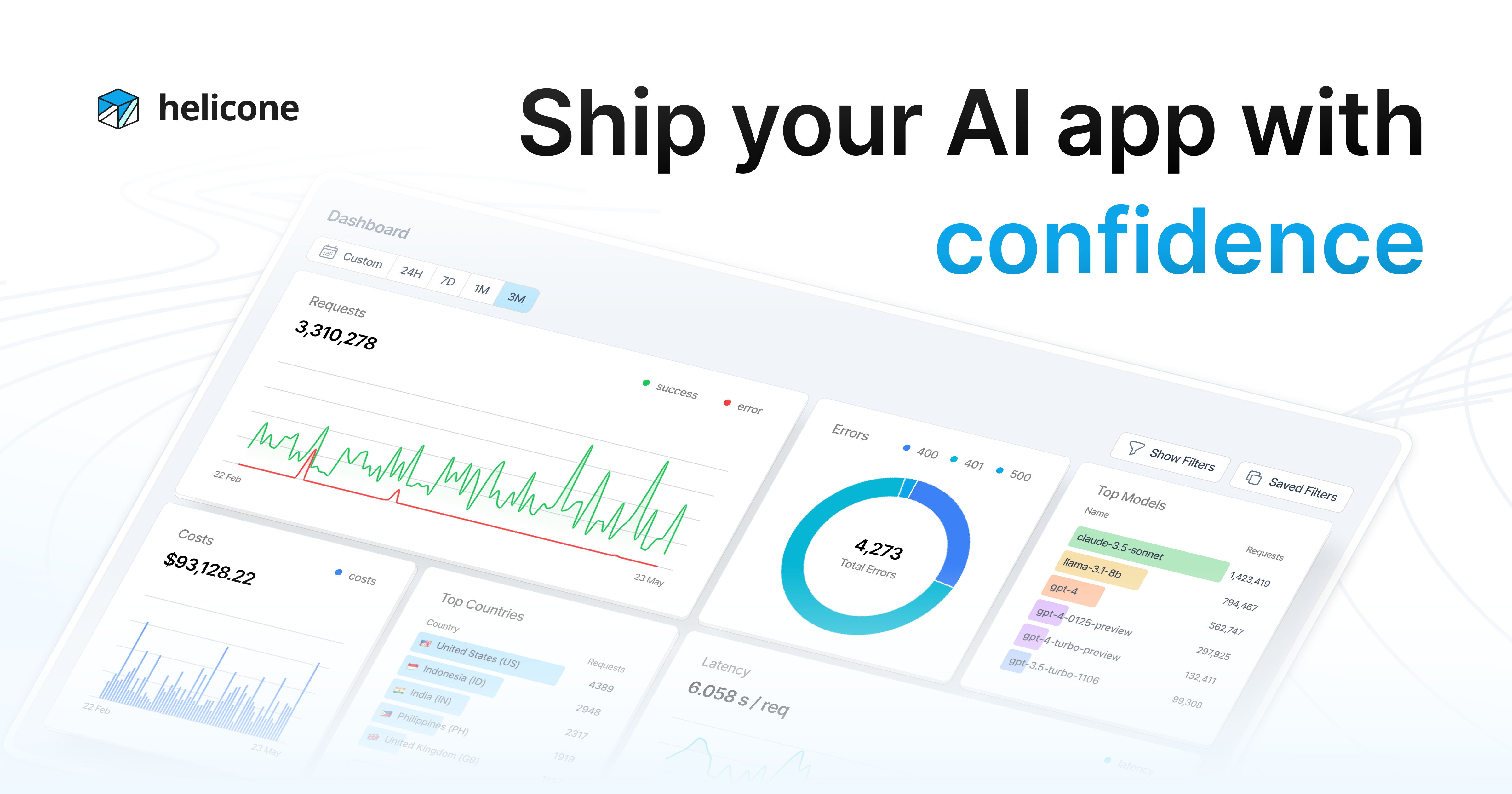
Helicone is open-source LLM observability and an AI gateway. It logs and analyses requests across OpenAI, Anthropic, Gemini, Mistral, Groq, Together and OpenRouter, with sessions, user-level tracking, a query language, prompt management, datasets, a playground, rate limits and alerts.
helicone.ai12 viewsAdded February 21, 20263K visitors
Teams building on language models discover observability in the same way, and it is always after an incident. A customer reports that the assistant said something wrong, and nobody can find what it actually said — because the prompt was assembled from four sources at runtime, the response was streamed, and nothing was kept.
That is a worse position than it sounds. With conventional software you have a stack trace. With an LLM feature you have a bill, a complaint, and no way to reproduce what happened.
Helicone exists for that gap, and it approaches it as a gateway rather than a passive monitor — a decision that buys real capability and costs something specific. Both are worth understanding before you put it in a request path.
What Does Helicone Watch?
Every LLM call your application makes — logged, searchable and attributable, across OpenAI, Anthropic, Gemini, Mistral, Groq, Together AI and OpenRouter.
Sessions and users, not just requests, which is what lets you reconstruct what a specific person experienced rather than reading isolated calls.
It is a gateway as well as a monitor — it routes requests, which is what makes rate limits and caching possible.
HQL, its query language, plus prompt management, datasets, a playground and alerts.
Open source and self-hostable, which resolves the objection that your prompts and responses would otherwise flow through someone else's infrastructure.
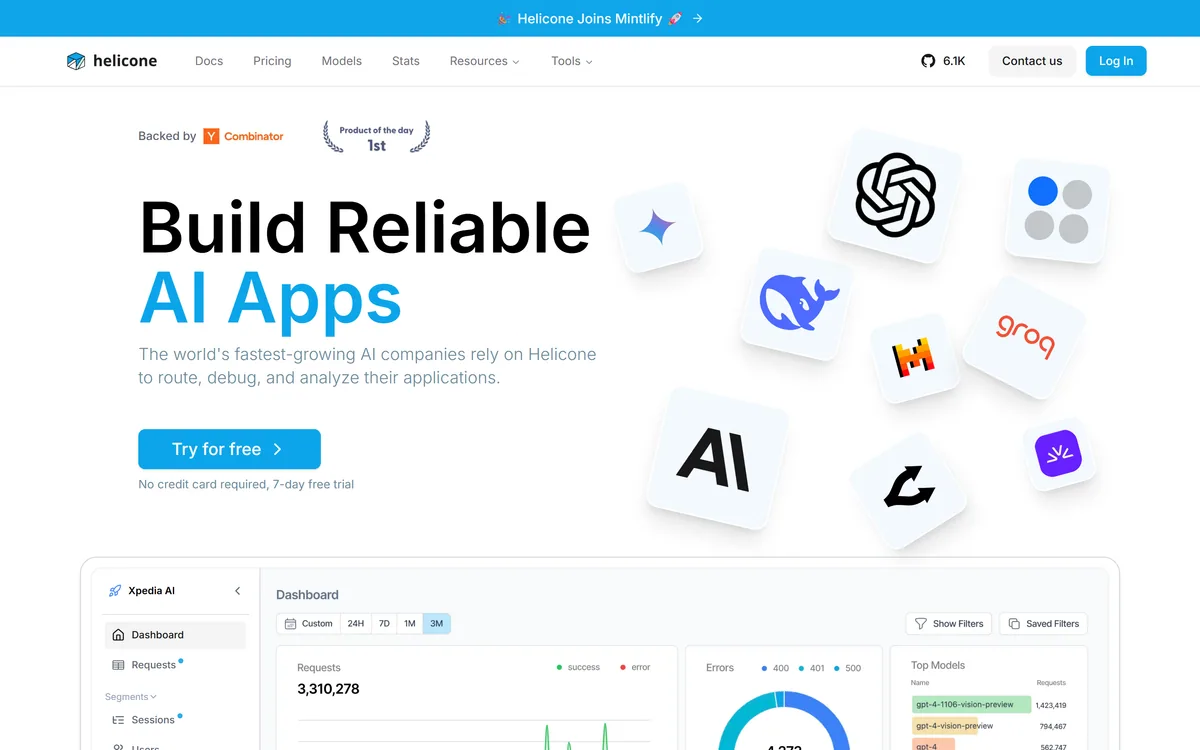
Helicone's homepage, captured 9 September 2026. Route, debug and analyse is the framing — gateway first, observability alongside.
LLM Observability Vocabulary
Five terms that decide whether you can debug an AI feature in production.
Gateway versus proxy logging
A gateway sits in the request path and can cache, route and refuse. Async logging receives a copy afterwards and cannot affect anything. Different capabilities, different production risk.
Session
A group of related LLM calls belonging to one user interaction. The unit you actually debug, because a single request rarely contains the problem.
Prompt versioning
Tracking which prompt was live when. Without it, you cannot tell whether output changed because you edited a prompt or because the model changed underneath you.
Cost attribution
Assigning spend to individual users or features. LLM costs are far more skewed per user than most teams expect, and totals hide that entirely.
Dataset
A collection of real production requests, ideally including failures, used to evaluate prompt changes. Better test material than anything you would write yourself.
Why Is A Gateway Different From Logging?
Helicone describes itself as helping companies route, debug and analyse their applications, with AI Gateway functionality alongside observability.
The distinction matters architecturally. A passive logger receives a copy of what happened, asynchronously, and cannot affect it. A gateway sits in the path — your application calls Helicone, Helicone calls the provider, the response comes back through it.
That position is what makes several features possible at all. Caching requires intercepting a request to decide whether to answer it. Rate limiting requires the ability to refuse one. Routing between providers requires being the thing that chooses. None of those work from a sidecar.
The cost is equally structural. Anything in the request path adds latency and becomes a dependency: if the gateway is unavailable, your feature is unavailable, unless you have built a bypass. That is a materially different risk profile from a logging integration that can fail silently without anyone noticing.
It is a fair trade and it is a decision to make deliberately. If you want caching, rate limits and routing, you want a gateway. If you only want visibility, an asynchronous logging path avoids taking on a new production dependency — and it is worth asking which mode you are configuring.
The distinction matters most when something breaks. Error monitoring such as Sentry Seer tells you the request failed; a gateway tells you what was sent, what came back, and what it cost.
A logger can fail silently. A gateway that fails takes your feature with it — which is the price of being able to cache, route and refuse.
Sessions Are The Feature That Solves Real Debugging
Helicone's dashboard covers requests, segments, sessions and users. Sessions are the one that changes what you can actually diagnose.
An individual LLM request is rarely the problem. A user asks something, the app retrieves context, calls a model, calls it again with a tool result, and produces an answer that is subtly wrong — and no single request in that chain looks wrong on its own.
Grouping calls into a session lets you replay the sequence: what was retrieved, what was sent, what came back, in order. That is the difference between guessing and reproducing.
User-level attribution matters for a second reason that is commercial rather than technical. LLM features have per-user costs that vary enormously — one power user can consume more than a thousand casual ones — and without attribution you cannot tell whether a customer is profitable, or which behaviour is driving your bill.
Prompt Management Is More Useful Than It Sounds
Alongside logging, Helicone offers prompt management, datasets and a playground. Together these address a problem most teams solve badly.
Prompts start in code as string literals. They get edited, and nobody records which version was live when. Then output quality changes, and the question — did we change the prompt or did the model change underneath us — becomes unanswerable.
Versioned prompt management makes that answerable, and it decouples prompt edits from deployments. Someone who understands the domain but does not deploy code can improve a prompt, which is frequently the person best placed to do it.
Datasets are what turn logs into evaluation material. Real production requests, particularly the ones that went wrong, are far better test cases than anything you would invent — and having them collected means a prompt change can be checked against reality rather than intuition.
The playground closes the loop: take a real failing request from production, adjust the prompt, and see what would have happened. That workflow — production failure to reproduction to fix, all in one place — is the practical argument for this category of tool.
Versioned prompts also make regressions attributable, which is the argument incident tools like Resolve.ai and Traversal make about deploys: you cannot debug what you cannot pin to a change.
Version your prompts before you need to, because you cannot reconstruct history retroactively.
Build a dataset from real failures rather than invented examples; production is a better test author.
Attribute cost per user early, since LLM economics vary far more between users than most teams expect.
Decide deliberately between gateway mode and async logging — they carry different production risks.
Set rate limits per user before a runaway loop discovers your provider's spend limit for you.
What Open Source Actually Resolves Here
Helicone is open source with a public repository, and this matters more in observability than in most categories.
The reason is what flows through the tool. Prompts and responses contain whatever your users typed and whatever your system knew — customer data, internal context, sometimes regulated information. Routing all of that through a third-party service is a genuine governance question, and for some organisations a blocking one.
Self-hosting removes it. The same capability runs on your infrastructure, and no prompt leaves your network. For a team in healthcare, finance or a jurisdiction with strict residency rules, that is the difference between adopting observability and doing without it.
It also protects against the ordinary risk of depending on a young company. An open-source project you can run yourself does not disappear because a vendor was acquired or changed its pricing.
The gaps worth noting are that the specific licence and the self-hosting requirements are not described on the pages we read, and open source does not mean effortless — running the ingestion, storage and query layers for high request volume is real operational work. Check the repository for both before assuming self-hosting is the cheaper path.
Deployment terms are the same worry that speech providers like AssemblyAI field before anyone asks about accuracy, and open source answers it more completely than a contract clause can.
Instrumenting An Application Properly
Observability is easy to add badly — logging everything, attributing nothing, and ending up with a searchable pile you never query.
The bar is step four. If you cannot reconstruct a specific user's session from logs, you have storage rather than observability.
Decide gateway or async logging first, based on whether you want caching and rate limiting or only visibility. This is a production architecture decision, not a settings toggle.
Instrument with user and session identifiers from the very beginning. Adding attribution later cannot recover the history you did not tag.
Log a week of real traffic, then look at cost per user rather than cost in total. The distribution will be more skewed than you expect.
Take a real complaint and try to reconstruct exactly what happened from the session view. If you cannot, your instrumentation is incomplete.
Build a dataset from the twenty worst responses of that week and use it as your regression test for any prompt change.
Set per-user rate limits before you need them, since the alternative is discovering your provider's spend cap during an incident.
Trial, Tiers And The Self-Host Alternative
There is a 7-day free trial with no credit card required, and paid tiers above it; amounts are not disclosed on the pages we read. Self-hosting is available through the open-source repository.
Observability tools in this category normally price on volume — requests or logs retained — which is the sensible shape, since cost tracks how much you actually put through.
The variable to watch is retention rather than throughput. Logging a million requests is cheap; keeping them queryable for a year is not, and retention windows are where the real cost difference between tiers usually sits. Establish what your tier keeps and for how long.
The self-hosting option changes the calculation entirely for anyone at volume, trading a subscription for infrastructure and operational time. Whether that is cheaper depends on how much of the latter you have.
The company is backed by Y Combinator and the repository shows meaningful adoption. We do not publish amounts; check retention windows and whether gateway and logging modes are priced differently.
OpenAI, Anthropic, Gemini, DeepSeek, Mistral, Groq, Together AI, OpenRouter and others
Documented integrations
OpenAI, Anthropic, Azure, LiteLLM, Anyscale, Together AI, OpenRouter and more
Open source
Public repository, with 6.1K GitHub stars noted
Trial
7-day free trial, no credit card required
Backing
Y Combinator
Legal entity
Helicone, Inc.
Pricing model
Trial plus paid tiers; amounts not disclosed
Key features of Helicone
Request logging across every major LLM provider
Session grouping so a full user interaction can be replayed in order
Per-user cost and usage attribution
HQL query language for interrogating logged traffic
Versioned prompt management decoupled from deployments
Datasets built from real production requests for evaluating changes
Playground for reproducing and fixing a failed request
Rate limits, caching and alerts, enabled by gateway positioning
Pros & cons
Pros
7
Covers the failure everyone hits — being unable to reconstruct what an AI feature actually did
Session view makes multi-call interactions debuggable rather than guessable
Per-user cost attribution reveals a spend distribution that totals completely hide
Gateway positioning is what makes caching, routing and rate limiting possible at all
Open source and self-hostable, which resolves the governance objection to routing prompts externally
Provider coverage spans every major model vendor rather than one
Datasets from real production failures make better regression tests than invented examples
Cons
6
Gateway mode puts a new dependency in your request path, with latency and availability consequences
No latency overhead figures are published for that gateway position
The open-source licence is not stated on the pages we read
Self-hosting requirements and operational burden are undocumented publicly
No pricing or retention windows disclosed, and retention is where tier costs usually differ
Attribution cannot be added retroactively, so late instrumentation loses history permanently
Best For
Teams with LLM features already in front of users
Anyone whose model spend is growing without per-user attribution
Applications that need caching or rate limiting rather than only logging
Organisations forbidden from routing prompts through third parties
Developers who want prompt versioning separated from deployments
Helicone Against Other Monitoring Tools
Observability tools differ on what they watch and where they sit. An LLM gateway and an error tracker solve different halves of the same production problem.
You have an LLM feature in production and cannot currently reconstruct what a specific user experienced.
Your model spend is growing and you cannot attribute it to users or features.
You want caching and rate limiting, which require a gateway rather than passive logging.
Your prompts live as string literals in code with no version history.
Governance forbids prompts and responses flowing through a third party, which self-hosting resolves.
You can wait when
You are still prototyping and nothing is in front of users yet.
You want visibility only and would rather not add a production dependency in the request path.
Your provider's own dashboard already answers your questions, which it may at low volume.
You need application-wide observability rather than LLM-specific, which is a different tool.
You would self-host without capacity to run ingestion and storage, which is real operational work.
Where The Helicone Facts Come From
Last checked . Read from helicone.ai, including the footer, with the screenshot above captured in the same session.
Positioning read from the site as companies relying on Helicone to route, debug and analyse their applications
Described as open-source LLM observability with AI Gateway functionality
Dashboard views confirmed as Requests, Segments, Sessions and Users
HQL confirmed as a query language, alongside prompts, datasets, playground, rate limits and alerts
Supported providers listed on the site including Gemini, DeepSeek, OpenAI, Together AI, Anthropic, Mistral, Groq and OpenRouter
Documented integrations confirmed for OpenAI, Anthropic, Azure, LiteLLM, Anyscale, Together AI and OpenRouter
Open-source repository confirmed, with 6.1K GitHub stars noted on the site
Trial confirmed as 7 days free with no credit card required
Y Combinator backing stated, with the legal entity given as Helicone, Inc.
Footer read directly and confirmed to carry Docs, Pricing, Models, Stats, Community, Changelog, Terms, Privacy, social links and careers
What we could not confirm: the specific open-source licence is not stated on the pages we read, so check the repository if licence terms matter; self-hosting requirements, infrastructure needs and any differences from the hosted version are not described; no pricing amounts or retention windows are published, and retention is usually where tier costs actually differ; latency overhead in gateway mode is not published, which matters because it sits in the request path; and we did not instrument an application, so nothing here reflects measured performance.
Other Observability And Reliability Tools
LLM observability sits alongside conventional monitoring rather than replacing it.
Sentry Seer — application errors and AI debugging from real production failures
Traversal — root cause across infrastructure rather than inside model calls
Resolve.ai — incident response built on top of observability data
Codacy — catching problems before they ship rather than observing them afterwards
AssemblyAI — an example of the kind of API call you would be putting through a gateway
Editor's Verdict
4.3/5
Helicone scores well because LLM observability is the layer teams discover they needed only after something goes wrong in production, and it covers the right things: request logging, session grouping, per-user attribution, prompt management and rate limiting across every major provider. Being open source with a self-hostable repository resolves the obvious objection — that your prompts and responses would flow through a third party. It loses ground because gateway architecture means it sits in the request path, which is a latency and availability decision rather than a monitoring one, and because the site publishes little about how self-hosting or its licence actually work. AInexfinder Editor Score: 4.3/5.
Helicone pricing
AInexfinder does not list plan prices or billing details. For current pricing, plans, and trials, visit the official Helicone website.
Vendor pricing, credits, and billing policies change over time. Always confirm on the official site before you buy.
Frequently asked questions
What is Helicone?
Helicone is open-source LLM observability and an AI gateway. It logs, routes and analyses the calls your application makes to language models across OpenAI, Anthropic, Gemini, Mistral, Groq, Together AI and OpenRouter, with sessions, per-user attribution, a query language, prompt management, datasets, rate limits and alerts.
What is the difference between a gateway and logging?
A gateway sits in the request path — your app calls it, it calls the provider — which is what makes caching, rate limiting and routing possible, because all three require intercepting a request. Async logging receives a copy afterwards and cannot affect anything. The gateway is more capable and becomes a production dependency.
Why do I need LLM observability at all?
Because when a customer says the assistant told them something wrong, you need to know what it actually said. With conventional software you have a stack trace; with an LLM feature you have a bill and a complaint. If the prompt was assembled at runtime and the response was streamed, nothing survives unless you logged it.
Can I self-host Helicone?
Yes — it is open source with a public repository, which resolves the main governance objection: that your prompts and responses would flow through a third party. Note that the licence and self-hosting requirements are not described on the pages we read, and running ingestion, storage and query layers at volume is genuine operational work.
Is Helicone free?
There is a 7-day free trial with no credit card required, plus paid tiers; amounts are not disclosed. Self-hosting is available through the open-source repository. When comparing tiers, look at retention windows rather than request volume — keeping logs queryable for a year is where cost actually differs, not logging them in the first place.
Which LLM providers does Helicone support?
The site lists OpenAI, Anthropic, Gemini, DeepSeek, Mistral, Groq, Together AI and OpenRouter, with documented integrations also covering Azure, LiteLLM and Anyscale. Multi-provider coverage matters because most production applications end up using more than one model, and observability that only sees one is only half useful.
What are sessions and why do they matter?
A session groups the LLM calls belonging to one user interaction. It matters because a single request is rarely the problem — a user asks something, the app retrieves context, calls a model, calls again with a tool result, and produces a subtly wrong answer with no individual call looking wrong. Sessions let you replay the sequence.
Will Helicone slow down my application?
In gateway mode it adds a hop, since it sits in the request path. No latency overhead figures are published on the pages we read, so measure it yourself before committing. If you only want visibility rather than caching and rate limiting, an asynchronous logging path avoids taking on the dependency at all.
How does prompt management help?
It makes an otherwise unanswerable question answerable: when output quality changes, did you edit the prompt or did the model change underneath you? Versioning records which prompt was live when. It also decouples prompt edits from deployments, so someone who understands the domain but does not ship code can improve them.
How is Helicone different from Sentry?
They watch different things. Sentry tracks application errors and traces — code that threw. Helicone tracks LLM calls, sessions, cost and prompts — code that ran fine and produced a wrong answer, which conventional error tracking never sees. Most teams building AI features end up wanting both rather than choosing.
Daniel reviews AI tools the slow way — by actually using them on real projects. His reviews cover what works, what breaks, and who each tool is genuinely a good fit for.
Daniel and the AInexfinder editorial team research Helicone using public product information, listing evidence, and (when available) hands-on checks. Scores reflect listing completeness and transparency — not paid placement.
Listings may include affiliate or sponsored placements, which are labeled when present. Editorial scores and cons are not sold. See our affiliate disclosure and review methodology.
Momentic is an agentic end-to-end testing platform where AI writes tests as plain-English YAML, runs them across web, iOS and Android, and self-heals them when the UI changes, with an autonomous bug-bashing agent, an MCP server and CI integration.
Langfuse is an open-source LLM engineering platform covering tracing, evaluation, prompt management, experiments and human annotation. Every product feature is MIT licensed, with self-hosting via Docker Compose, Kubernetes or Terraform alongside a managed cloud in US and EU regions.
Functionize is an AI-native test automation platform for enterprise web applications. Its Studio product uses autonomous agents to create and run end-to-end UI tests, with self-healing element resolution built on custom models rather than brittle selectors, across Salesforce, ServiceNow, Workday, SAP and bespoke apps.
Bug0 is managed AI QA: a forward-deployed engineer builds end-to-end tests on Bug0's engine, covering critical flows in seven days. Tests heal themselves when the UI changes, and every failure is verified before it reaches you. It also publishes Passmark and a substantial testing blog.
GitHub Copilot is an AI coding assistant that spans completion, chat, agent mode, automated code review, and a cloud agent that opens pull requests, working across VS Code, Visual Studio, JetBrains, Xcode, Neovim, Eclipse, the CLI, and github.com.
Replit AI turns a written description into a working application — the Agent writes the code, and Replit supplies the database, authentication, hosting, and monitoring, so a prototype goes live without a local setup or a deployment pipeline.